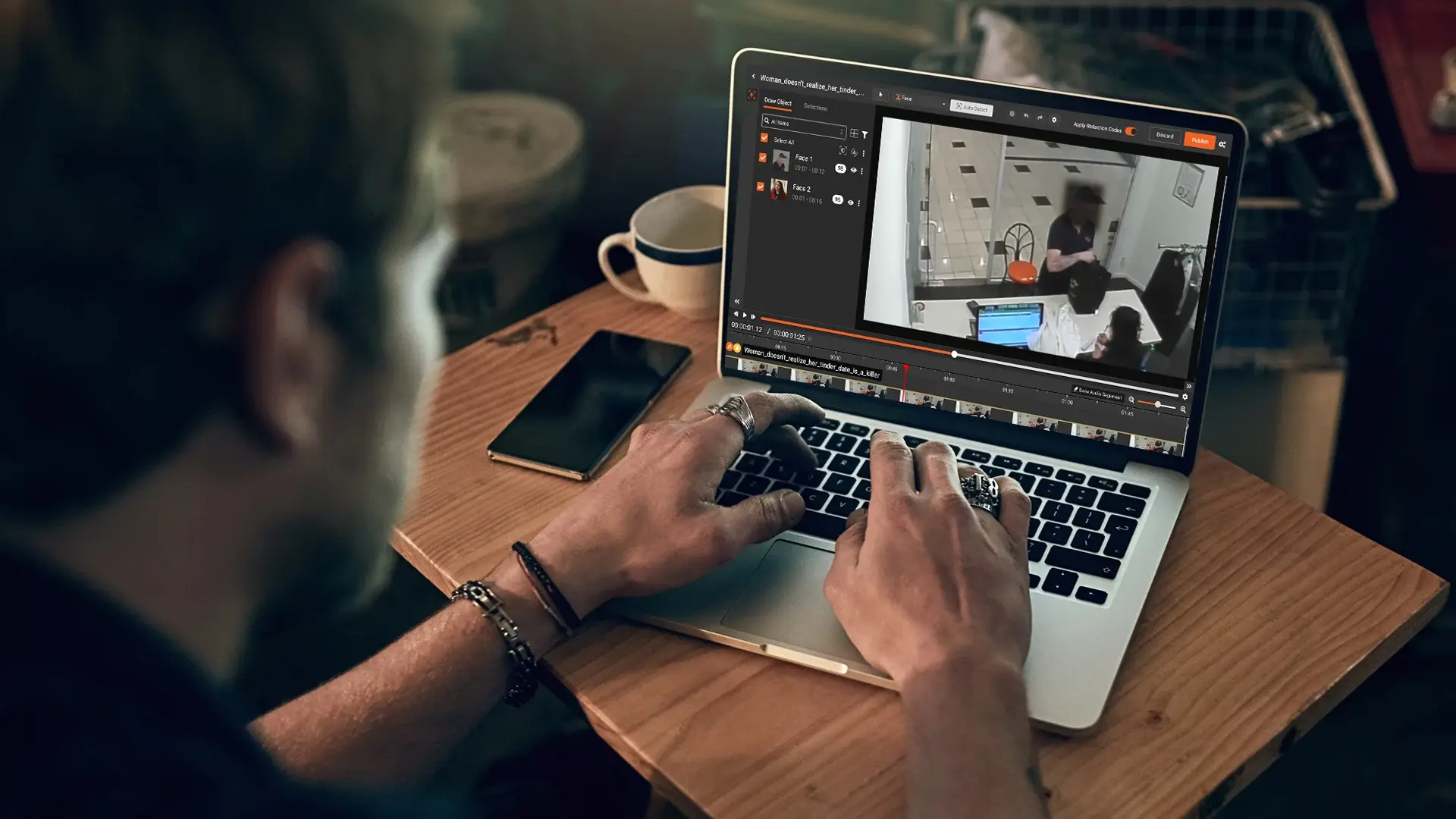
Most CCTV Subject Access Requests get handled the same way: open the file, start blurring faces, hope to finish before the deadline. That is how an eight hour redaction job gets created out of what should be a fifteen minute one.
The skill that saves the day is not faster redaction. It is clipping first. If a requester is asking about an incident at 14:32 on Tuesday, you do not need to redact 24 hours of footage from three cameras. You need to identify the window that contains their personal data, clip to it, and then redact what is left.
This guide walks through the operational side of a CCTV SAR: how to clip cleanly, how to handle multi-camera incidents, and how to package what you disclose. For the legal background, our guide to responding to a DSAR involving CCTV covers Article 15, the 30 day deadline, and the third party redaction obligation.
Why clip CCTV footage before redacting it
Redaction is the slow, expensive step. Every minute of footage you redact is more analyst time, more QA, more risk of a missed face in the background. Every minute you do not need to redact is time and risk you have removed from the project.
Manual frame by frame redaction runs at roughly four to eight analyst hours per hour of footage. A two hour file can take a full working day. If only fifteen minutes of that file contains the requester, you have spent seven and a half hours on footage that should never have been disclosed.
Clipping is also a privacy obligation. Under UK GDPR data minimisation, you should disclose what is in scope and nothing more. Sending two hours of footage when the incident lasted five minutes is over disclosure of third party data, even if every face is correctly blurred. The ICO has flagged this pattern in its guidance on responding to CCTV subject access requests.
How to define the CCTV clip window for a SAR
Before you touch the file, work out what window of footage contains the requester's personal data. This is a scoping decision and it should be documented in writing.
What you need:
- The incident the request relates to (date, time, location if known)
- The cameras that were running and pointed at the relevant area
- The context the requester needs to understand what happened
For a discrete incident at a known time, two minutes either side is usually defensible. The requester gets enough lead in and lead out, and you are not redacting hours of unrelated activity. For longer patterns like a worker SAR covering a shift, the window might be entry and exit timestamps with break periods clipped out.
Document the window and the reasoning. If the requester challenges your clip boundaries, you need to show you applied consistent, defensible logic.
Clipping CCTV footage from multiple cameras for a SAR
Most CCTV SARs involving an incident pull from more than one camera. A car park slip and fall might be covered by an entrance camera, an interior camera, and a till-facing camera. Each is a separate file with its own clip boundaries.
It is tempting to treat the cameras as one combined event, but they are not. The requester appears in different frames at different times. Camera 1 catches them at 14:30, camera 2 at 14:32, camera 3 only after the incident at 14:34. If you clip every file to "14:30 to 14:40" you have three files where the requester is visible for only part of the duration and bystanders fill the rest.
Better to clip each file to where the requester is in frame, then bundle the clips for disclosure. The requester gets multi-angle coverage of their own data and you have minimised exposure of everyone else.
How to clip CCTV footage without breaking chain of custody
The original recording is your evidence record. Never edit it directly. Pull a working copy and clip the copy.
Standard practice for a defensible workflow:
- Preserve the original file in a restricted location with metadata intact (camera ID, timestamps, codec, duration)
- Create a working copy with a clear naming convention (case ID, camera ID, original file reference)
- Document the clip boundaries in your case log before you clip, not after
- Verify the clipped file plays correctly and timestamps still align with the original
If the recording uses a proprietary CCTV container format (many camera systems do), the clipped output may need to be rewrapped to a standard MP4 for the requester to play it. Do this before the redaction work begins so you are not blurring faces in a file the requester cannot open.
Audio matters. If the CCTV system records audio alongside video, the audio track has to clip to the same boundaries. Mismatched audio is a defect that gets the disclosure sent back.
What to redact in CCTV footage after clipping
Once the file is clipped to scope, the redaction targets are the standard UK GDPR third party set:
- Faces of anyone who is not the requester (staff, customers, patients, visitors, passers by)
- Voices in the audio track
- Name badges, ID lanyards, and uniforms with names or numbers
- Computer screens, whiteboards, posted lists, and documents showing third party data
- Vehicle number plates in car park or street facing footage
- Anything that could indirectly identify someone, like a distinctive tattoo or clothing
Manual frame by frame redaction is impractical for anything but the shortest clips. Automated detection tracks faces, plates, and other PII across frames and follows people as they move. The reviewer accepts, rejects, or adjusts each detection. This hybrid model is what the ICO has signalled is acceptable, as long as a human stays accountable for the final output.
Redaction has to be irreversible. A light blur that can be reversed with AI upscaling is not enough. Use a solid block, a permanent blur baked into the exported file, or an opaque mask. For audio, mute or tone over third party voices and use one method consistently across every file in the case.
Packaging clipped CCTV footage for SAR disclosure
Once each clip is redacted and reviewed, the disclosure pack should include the redacted clips in a standard format like MP4, a redaction log with timestamps and reasons, and a cover letter explaining what is included, the clip boundaries used, what was withheld, and how to complain to you and to the ICO.
Send the file securely via a password protected link with expiry. Unencrypted video by email is not acceptable for this category of data.
If you have multiple clips from multiple cameras, label them clearly. "Camera 1 (entrance), 14:30 to 14:40" is more useful than an original file name hash. Clear labelling also makes the redaction log easier to audit.
Common CCTV clipping mistakes in SAR responses
Clipping too narrowly: if you cut out the context before and after the incident, the requester may complain the footage is incomplete. Two minutes either side of a discrete incident is the usual safe margin.
Clipping too widely: disclosing hours when the requester is visible for ten minutes creates unnecessary third party exposure and adds to your redaction workload. If you cannot articulate why a particular minute is in scope, it probably is not.
Losing audio sync: clipping with tools that do not handle audio properly produces files where audio is offset from video. This is both a defect and a chain of custody problem if anyone questions whether the file has been edited.
Forgetting the multi-camera bundle: disclosing one camera's view when others also captured the requester is incomplete. Either disclose all relevant cameras or document why the others are out of scope.
Skipping the original: if the only file you have is the clipped, redacted copy, you have lost your evidence record. Preserve the original alongside the disclosure copy.
VIDIZMO Redactor for CCTV clipping and SAR redaction
VIDIZMO Redactor handles clipping and redaction in the same platform, which removes the most common source of error: exporting a clipped file from one tool, importing it to another, and losing metadata or audio sync somewhere in the handoff.
For SAR clipping work, the features that matter:
- Frame accurate clipping with audio kept in sync
- Proprietary CCTV container formats with automatic rewrapping to MP4
- Bulk processing for multi-camera cases
- AI detection of faces, persons, plates, and text inside the clipped window
- Audit trail with user, timestamp, and action for every change
- Original file preservation alongside the disclosed copy
- Secure share with expiry
- UK and EU data residency for NHS, public sector, and GDPR hosting requirements
Start your free trial today, no credit card needed.

FAQ
Frequently Asked Questions
Why clip CCTV footage before redacting it?
Clipping reduces the volume you have to redact, which cuts time, cost, and risk. It also satisfies UK GDPR data minimisation: you should disclose what is in scope and not more. Redacting hours of footage when the requester is visible for minutes is wasteful and an over disclosure of third party data.
How wide should the clip window be for a CCTV SAR?
For a discrete incident with a known time, two minutes either side is the usual safe margin. For longer patterns of activity, clip to the periods where the requester is in frame and exclude periods where they are not. Document the reasoning in your case log either way.
Can clipping affect the integrity of the original CCTV file?
Only if you clip the original directly, which you should never do. Preserve the original untouched and clip a working copy. Your audit trail should show what was clipped, when, and why, and the original should remain available if the disclosure is challenged.
What if multiple cameras captured the same incident?
Treat each camera as a separate file with its own clip boundaries. Clip each one to the window where the requester is in frame, then bundle the clipped files together for disclosure. Label each clip clearly so the requester can follow the sequence.
Does the audio need to clip and redact alongside the video?
Yes. Audio is personal data in its own right, so it has to clip to the same boundaries as the video and redact for any third party voices or spoken personal information. Audio that loses sync with the video is a defect that gets the disclosure sent back.
How is this different from a standard DSAR response?
The legal framework is the same. SAR and DSAR are used interchangeably under UK GDPR. The difference here is operational: this guide focuses on the file handling steps, while our DSAR involving CCTV footage guide covers the legal background on Article 15, deadlines, and third party obligations.
TopicsData SecurityRedactionVideo Redaction

About the author
Ali Rind is a Product Marketing Executive at VIDIZMO, where he focuses on digital evidence management, AI redaction, and enterprise video technology. He closely follows how law enforcement agencies, public safety organizations, and government bodies manage and act on video evidence, translating those insights into clear, practical content. Ali writes across Digital Evidence Management System, Redactor, and Intelligence Hub products, covering everything from compliance challenges to real-world deployment across federal, state, and commercial markets.
You may also like

Video Redaction Best Practices: Motion, Frame Rates, Tracking and Failing Safe
I led our video redaction project for a county public safety agency where two people handled every disclosure, and ...

Redacting Dash Cam, Body Cam and Drone Footage From a Moving Camera
A fleet claims manager preparing crash footage for an insurer and defense counsel is doing a different job from a ...

Why Frame-Rate Headers Lie: Redacting Variable Frame Rate Video
A video file keeps time frame by frame, and the frames-per-second figure a player displays is a summary of that timing, ...