The name most likely to survive an automated redaction of a typed intake form is the one somebody wrote in the margin by hand. OCR built for printed text reads the typed name and hands it to detection, then passes over the handwritten one without any sign that something was missed.
The rest of a real scanning batch causes the same kind of silent miss in other ways, as anyone who has fed a box of old case files through a production scanner knows. Some pages come out sideways, a few upside down and several at an angle, and many carry initials beside a correction or a signature at the foot of a form.
Before asking whether a tool can OCR handwritten documents, it helps to separate the reading problems that have dependable fixes from the ones that still need a person. Page orientation in quarter turns can be detected and handled from start to finish, while skewed pages and handwriting are best handled by finding them and putting someone on them. Our guide to what black boxes miss covers what removal has to achieve, and the sections below cover what has to be read first.
Pages that come out of the scanner sideways
OCR reads lines of text that run the way it expects, so a page stored sideways in a scanned batch yields little or nothing. No error appears and the page simply seems to have nothing on it, so its names go through the redaction job untouched. Federal rules for digitizing permanent records leave OCR optional, so an archive scanned to that standard can still consist entirely of page images. A redaction workflow can't assume that a scanned archive arrives searchable, or that whoever scanned it turned every page the right way up.
Born-digital PDFs, scans and phone photographs each carry different evidence about which way is up, and a batch of case files usually mixes all three. A born-digital PDF has a text layer, so the direction in which most of its text runs settles the question. A scanned page has only pixels and needs a classifier trained to recognize text orientation from the image. A phone photograph usually carries an orientation flag written by the camera, which the Exif standard defines as "The image orientation viewed in terms of rows and columns." Its values describe quarter turns and mirror images of the stored picture, and a tool that ignores the flag reads the picture as stored, which for a phone held upright is often sideways.
VIDIZMO Redactor judges each page by the best evidence it carries instead of applying one method to everything. A case file can put an officer's photograph of a handwritten statement between a typed report and a scanned form, and treating all three alike would get one of them wrong on every batch.
Rotation in a PDF is itself an instruction to the viewer, and a page's rotation setting accepts only multiples of 90 degrees. A page fed at a slight angle therefore can't be straightened by changing that setting, which is why skew is a different problem from orientation.
Putting the redaction back where the name is
Many scanned pages sit in the file sideways or upside down, with a rotation setting that makes viewers display them upright. The gap between the stored page and the displayed one is where a redaction can go astray. If a tool finds a name on the upright view and then draws the box in the stored frame, the box lands on the wrong part of the page. It blanks innocent pixels and leaves the name readable.
Redactor finds text in the frame where it reads upright, redacts in that frame, and returns the page as it came in, with its original rotation and size. On test pages turned 90, 180 and 270 degrees, only the targeted region is destroyed and nothing outside it changes. The same tests run with a mismatched frame show the failure, with the region left intact and pixels elsewhere destroyed. A reviewer can check any tool the same way, by redacting a known name on a page stored sideways. The box should cover the name, and the page should still open in its original orientation.
Crooked pages and upright boxes
Redaction boxes are upright rectangles, and on a page fed at a slight angle the lines of text run uphill or downhill underneath them. A box drawn to cover a slanted line can clip its ends, leaving the opening or closing characters of a name readable. A box tall enough to avoid that covers parts of the lines above and below instead, and neither outcome is acceptable on a release.
The dependable fix for skew happens before redaction starts, at the scanner or in the capture software. Most capture software can straighten pages as they are scanned, and a page too crooked to straighten cleanly can be rescanned. Pages that arrive already skewed, such as copies received from another agency, need a reviewer to check every redaction on them and widen or add boxes wherever a slanted line escaped. Phone photographs of paper add perspective to the skew, so the lines converge toward one side of the image. A document-scanning app that corrects perspective before the photo is saved does for them what straightening does at the scanner.
Handwriting: find the pages and put a person on them
Handwriting is where even the strongest recent models still struggle, according to the OCRBench evaluation of large multimodal models. Its authors reported "both the strengths and weaknesses of these models, particularly in handling multilingual text, handwritten text, non-semantic text, and mathematical expression recognition." Intake forms and clinical records show what that means on real pages. OCR reads their typed parts cleanly and misses the handwritten additions, which is how the margin name in the opening survives a job that caught every typed name on the same page.
The workable approach to handwriting is triage, and it starts with finding the pages that carry it. Pages with handwriting can be found by form type, by the sections of a file where notes are usual, or by pages where OCR returns far less text than the page visibly holds. A page that looks full but yields only a few dozen characters of text is a strong candidate, and so is a form whose typed fields came back while the space beside them stayed empty. Those pages go to a person who draws the regions by hand, including around initials beside a typed correction, since initials can identify the staff member who made the change. Handwritten signatures are a different case because they can be detected as objects on the page, and our article on signatures and stamps covers them.
Handwriting can also be personal information in its own right, and the federal student privacy rules list it among their examples of a biometric record. In education records, and anywhere a person's hand could identify them, a redaction policy may need to cover a handwritten passage even when its words are harmless.
Fine print, faint ink and fax-quality pages
Small text loses detail during OCR long before a human reader would notice anything wrong with the page. Pages are prepared for OCR at a working resolution, and at that resolution footnotes, the fine print on forms and the lettering on small stamps can blur into shapes the recognizer can't read. Faded ink, carbon copies and low-contrast photocopies fail for similar reasons, and fax transmission adds noise on top.
The fixes are mostly upstream of redaction, in how the pages are captured. Scanning fine print at a higher resolution, using grayscale instead of pure black and white for faint originals, and rescanning the worst pages all give OCR a better chance. Pages that stay difficult belong in the manual review queue with the handwritten ones.
A test batch for your worst scans
Vendors tend to demonstrate on clean, upright pages, so the useful evaluation is a batch built from your own hardest material, and it should include at least these pages:
- A page stored sideways and a page stored upside down.
- A page fed at a visible angle.
- A typed form with handwritten notes, including a name in the margin.
- A faxed page and a page of fine print.
- A phone photograph of a paper document.
For each page, check that every redaction lands on the right words, that nothing outside the redactions changed, and that the page keeps its orientation. Then list the names that detection missed, since those show exactly where review time will go. The checks for layered scans are in our scanned PDF guide, and those for pages in other scripts are in our article on multilingual document redaction.
Where the analyst takes over in Redactor
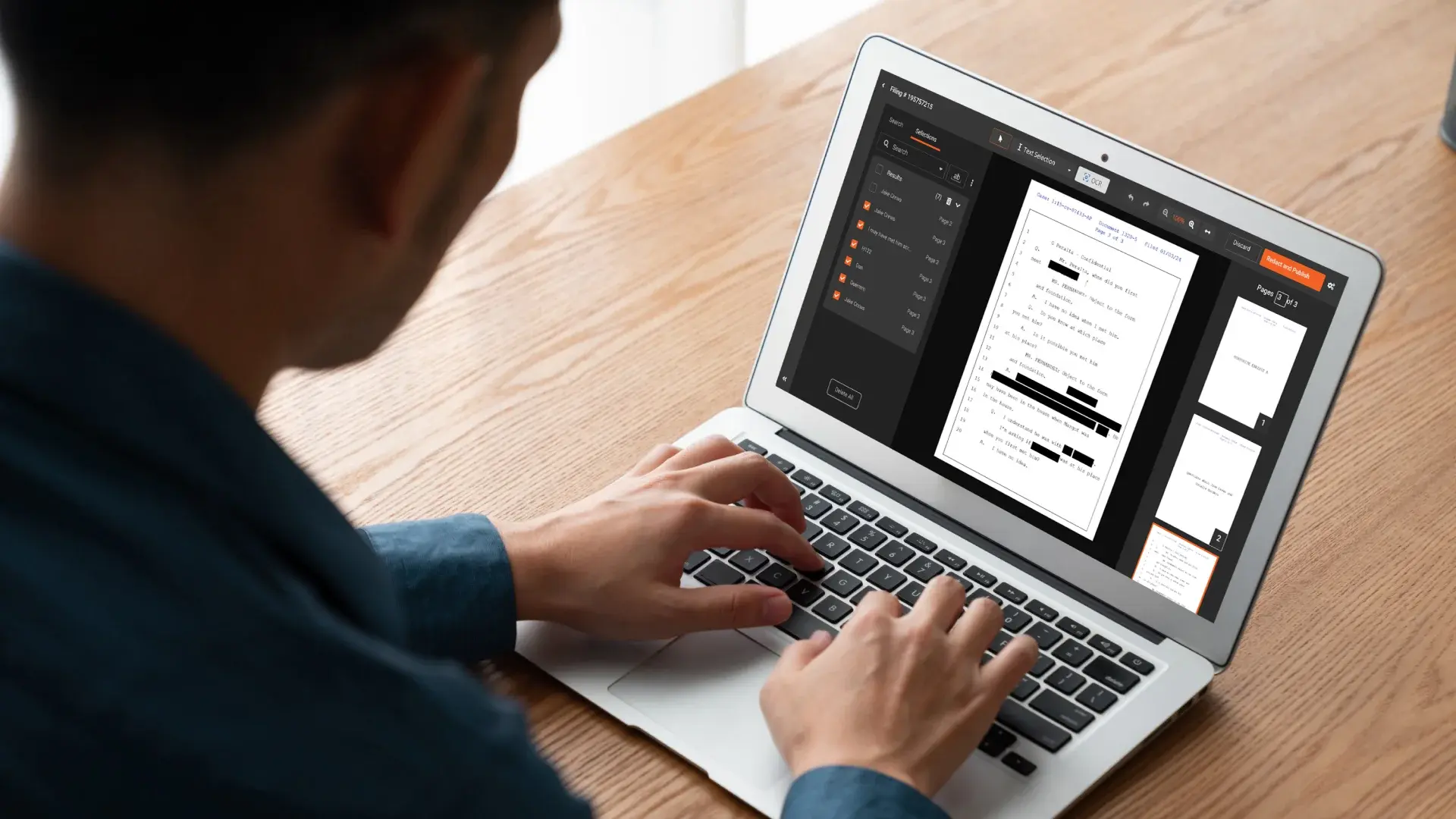
Everything the triage above sends to a person ends up in Redactor as a region an analyst draws on the page. A handwritten name, a margin note or a line of fine print covered that way is removed exactly as a detected region is, pixels and any text beneath it alike.
Bad scans, phone photos and odd orientations are also covered on the image redaction software page.