
by Hassaan Mazhar, Last updated: March 24, 2026
The Uncomfortable Truth About Hospital FOIA Redaction
Your FOIA queue isn’t overflowing because you lack "innovation." It’s overflowing because every request feels like a legal tripwire.
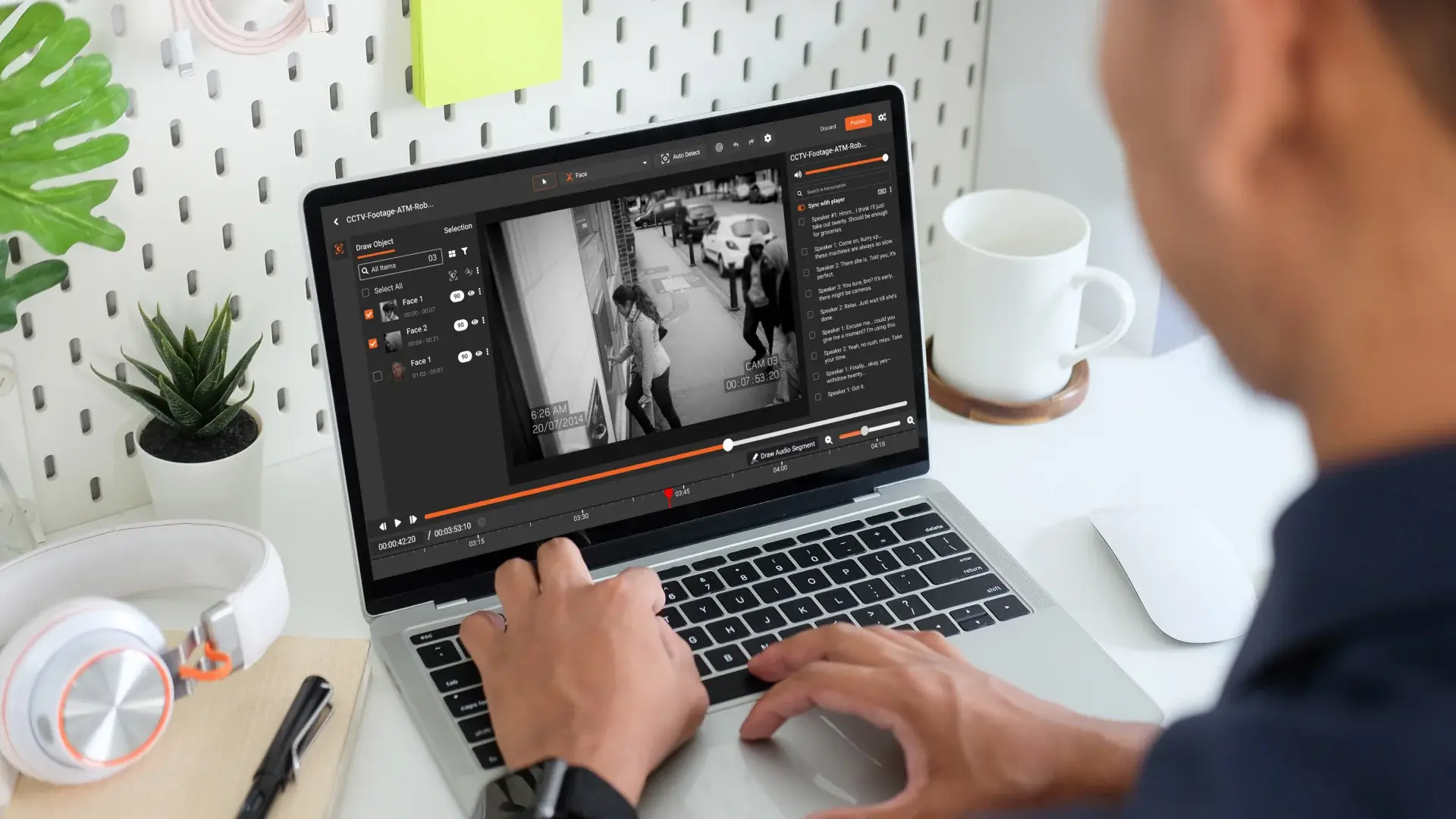
You know the drill: a seemingly simple video request hits your desk, and suddenly half a day disappears into scrubbing faces, license plates, monitors, and hallway whiteboards. You export, pause, zoom, screenshot, annotate, redact, re-export. Then legal flags something you missed. Start over.
Meanwhile, the clock on statutory FOIA deadlines keeps ticking. Compliance is stressed. Legal is risk-averse. IT is stuck in the middle, trying to protect PHI inside an environment that can’t casually ship data to the cloud.
This isn’t about efficiency for efficiency’s sake. It’s about:
- Protecting PHI in video, audio, and documents—without bottlenecking FOIA responses
- Avoiding embarrassing re-disclosures that end up in the news (or with OCR)
- Getting out of the business of heroic manual redaction at 10 p.m. before a deadline
That’s why many hospital teams have already made the mental leap: automation is not optional anymore. The question now is narrower and more tactical:
How do we use on-premises redaction software to cut FOIA redaction time from hours to minutes without losing control of PHI or legal defensibility?
This guide walks through a pilot-first, execution-focused approach designed for hospitals that live with BAAs, air-gapped networks, and audit committees, not shiny vendor decks.
Why Manual and Outsourced FOIA Redaction Breaks Down
Before we get into how to pilot on-premises redaction software, it’s worth naming the pain you’re actually trying to solve. It’s rarely just "speed."
1. Manual video redaction is quietly burning your people out
Your compliance analyst didn’t sign up to spend four hours redacting a 20-minute ED hallway clip frame by frame. Yet that’s the reality in many hospitals:
- Scrubbing footage in consumer-grade editors not built for PHI
- Eye fatigue leading to missed faces in the background
- Duplicated effort when legal wants a slightly different version
Every new FOIA request competes with other priorities: investigations, audits, training. Redaction work always feels urgent but never feels strategic.
2. Outsourcing solves one problem and creates three more
Outsourcing FOIA redaction sounds attractive until you look at the operational reality:
- PHI exposure risk: You’re shipping sensitive clinical and security footage outside your controlled perimeter.
- Vendor capacity risk: When their queue backs up, your statutory deadlines don’t move.
- Cost creep: Per-minute or per-request pricing punishes spikes in FOIA volume.
And in many cases, the outsourced vendor is just throwing more humans at the problem—not real automation. You haven’t solved the process. You’ve just moved it.
3. Cloud-only tools clash with PHI control and air-gapped systems
Most high-volume FOIA data is exactly the kind of content your InfoSec teams lock down:
- ED waiting room cameras
- Parking garage video with license plates
- Bodycam or security footage from behavioral health units
For many hospitals, this content lives in VMS systems or storage arrays that are:
- Air-gapped or heavily segmented
- Covered by strict BAAs and internal security policies
- Governed by retention and litigation hold rules
Cloud-first tools require you to push PHI outside this environment. That might fly for non-PHI data. It does not fly for clinical and patient-identifiable video in most organizations.
Why On-Premises Redaction Software Fits Hospital Reality
This is where on-premises redaction software becomes more than a technical preference. It becomes an enabling constraint.
For hospital compliance, legal, and IT teams, on-premises redaction software typically means:
- Installed in your data center or private cloud
- Integrated with your existing storage, VMS, and identity systems
- Subject to your own access controls, logging, and backup policies
Practically, this gives you:
- PHI control: Video never leaves your network. No external processing of sensitive footage.
- BAA simplicity: Fewer external parties touching PHI reduces contractual complexity.
- Air-gap compatibility: Processing can happen in isolated or segmented environments.
- Auditability: Logs and configurations live in your SIEM and audit stack.
But just buying on-premises redaction software doesn’t magically cut FOIA redaction from hours to minutes. The difference comes from how you pilot and operationalize it.
Step 1: Set Legal Guardrails Before You Touch Any Software
Most failed pilots don’t fail because the AI isn’t good enough. They fail because no one agreed on what "good enough" means in a hospital FOIA context.
Bring legal, compliance, and IT together early and lock down the guardrails. At a minimum, define:
What must always be redacted?
Create a concrete, written list of elements that must be removed or obscured in FOIA responses, such as:
- Patient faces and unique body marks
- Family members and visitors
- License plates
- Staff badges with names or barcodes
- Screen content (monitors with PHI, whiteboards, patient status boards)
Distinguish between mandatory versus situational redactions. For example, staff faces may be allowed when part of an incident under investigation, but not when incidental to a waiting room shot.
What is the acceptable risk tolerance?
On-premises redaction software will rarely achieve 100% automation. You need a shared understanding of:
- Automation-first vs review-first: Is the goal to automate 80% of the work and then have humans review, or to treat the tool as a pre-processing step?
- Error tolerance: What types of misses are never acceptable (e.g., unredacted patient faces) versus tolerable (e.g., an unredacted wall clock)?
If legal can’t live with any misses, you’re not looking for automation—you’re looking for computer-assisted manual review. That’s still useful, but it’s a different bar.
What documentation is required for a "defensible" FOIA response?
Finally, define the paper trail you need to show you acted reasonably:
- Do you need a redaction log documenting every applied redaction?
- Do you need to record who reviewed and approved each output?
- Do you need to retain original and redacted versions with linkage?
These decisions drive how you evaluate on-premises redaction software and how you configure it during the pilot.
Step 2: Build a Representative FOIA Sample Set (Not a Happy Path)
The fastest way to sabotage a pilot is to test only on "easy" videos and documents. That’s how you get a false sense of capability—and tough surprises in production.
Instead, build a small but nasty sample set that reflects your real FOIA mix. Aim for 20–40 assets that include:
- Different camera types: ED hallways, parking lots, lobbies, operating room corridors, elevators
- Different conditions: Low light, motion blur, obstructions, crowded scenes, masked faces
- Edge cases: Reflections in windows, monitors at odd angles, badges partially visible
- Audio and documents: Recorded calls, incident recordings, PDF reports with embedded PHI
Label this sample set with your legal guardrails in mind:
- Mark what must be redacted in each file
- Note what is optional or context-dependent
- Tag which ones are "nightmare" scenarios that currently consume hours
This becomes your baseline to compare manual effort vs. on-premises redaction software during the pilot.
Step 3: Define Clear Acceptance Criteria for "Good Enough"
With guardrails and a representative sample, you can now define what success looks like. This is where hospitals often drift into vague territory like "it should be faster." You can do better.
Time-based criteria
Start with a simple but specific goal:
- "Reduce average redaction time per 15 minutes of video from 2 hours to 20 minutes, including human review."
Capture your current baseline by timing 3–5 real cases with your existing process. That’s what you’ll compare your on-premises redaction software pilot against.
Accuracy criteria
Next, define minimum performance thresholds. For example:
- "Tool must automatically detect and apply redactions to 90%+ of faces in sample videos."
- "License plate coverage must be complete after human review using the tool’s interface."
- "No unredacted patient faces or names in final outputs across the sample set."
Note the nuance: you’re often measuring the combination of automation plus human review, not raw algorithm performance.
Operational criteria
Finally, define non-functional requirements that are deal-breakers for your environment:
- Runs entirely as on-premises redaction software without sending PHI to external services
- Supports your identity provider and RBAC (e.g., only certain roles can export final files)
- Generates audit logs that can be pushed to your SIEM or compliance reporting tools
- Supports integrations or workflows with your existing VMS or content systems
These criteria let you judge on-premises redaction software as an operational tool, not a cool demo.
Step 4: Tune, Test, and Triage Turning the Pilot into a Playbook
Once the on-premises redaction software is deployed in your environment, the real work begins. This is where you transition from "testing a tool" to "proving a new way of working."
Run your sample set end-to-end
Take your curated sample set and run it through the software under realistic conditions:
- Ingest or import content from your real storage locations
- Apply the automated redaction workflows (faces, plates, screens, etc.)
- Have an analyst review, correct, and approve redactions
- Export redacted versions in the formats FOIA requesters expect
Time the process for each asset and compare to your baseline.
Tune detection and redaction thresholds
Most on-premises redaction software allows you to tune:
- Sensitivity for face and object detection
- Default blur levels or masking styles
- Tracking behavior when objects move in and out of frame
For hospital FOIA scenarios, you may want:
- More conservative detection (catch more possible faces, even with some false positives)
- Standardized blur style that aligns with your legal team’s preference
- Longer tracking windows for faces that appear briefly
Document your chosen configuration as part of your defensible process. This isn’t just "settings"—it’s part of your risk posture.
Identify which cases still need manual intervention
Not all requests will be automation-friendly. Use the pilot to categorize:
- Category A: Routine requests where automation handles 80–90% and review is light
- Category B: Complex cases where the tool assists but manual work is still heavy
- Category C: Edge cases where the content or quality makes automation marginal
Your goal isn’t to automate everything. It’s to move as many requests as possible into Category A, so your experts can focus on the true problem cases.
Step 5: Validate Operational Fit Beyond the Demo Environment
A successful pilot isn’t just about speed and accuracy. It’s about whether the on-premises redaction software actually fits into your day-to-day FOIA operations.
Confirm it works under your real constraints
As you run the pilot, validate how the software behaves in your environment:
- Can it run in your segmented or air-gapped networks without phoning home?
- Does it authenticate through your SSO and enforce role-based permissions?
- Can it see the storage locations where your video and audio live today?
- Does it perform acceptably with your typical hardware and load?
This is where the "on-premises" part of on-premises redaction software pays off. You get to test performance and behavior under your real security and infrastructure constraints.
Check auditability and defensibility
Next, confirm you can document what happened for each FOIA response:
- Is there an audit log of which files were processed, by whom, and when?
- Can you see what automatic redactions were applied and what humans changed?
- Can you link original and redacted versions in a way that satisfies internal audit or external counsel?
On-premises redaction software should make it easier—not harder—to prove that you acted reasonably in how you handled PHI during FOIA processing.
Align workflows across teams
Finally, stress-test the workflow handoffs:
- How do FOIA requests get triaged and assigned?
- Where does the redaction step live in your overall FOIA process?
- Who has final sign-off before release, and how do they review outputs?
Often, the best gains coe from small process tweaks, not technology alone—for example, standardizing that all FOIA-related video flows through the on-premises redaction software before legal review.
Where an Example Solution Fits: VIDIZMO REDACTOR in a Hospital FOIA Stack
Once you’ve defined your evaluation criteria—legal guardrails, sample set, acceptance thresholds, and operational needs—you can start mapping solutions against them. One example that often comes up in hospital environments is VIDIZMO REDACTOR.
It’s designed as on-premises redaction software that can run entirely within your infrastructure. In a typical hospital FOIA stack, it can sit between your video sources (VMS, bodycams, surveillance systems) and your FOIA response process.
Hospitals usually focus on three practical aspects during pilots:
- Selective face redaction: The ability to automatically detect faces, then let reviewers selectively un-redact staff while keeping patients and visitors redacted. This matters when legal needs staff identity visible for investigations but wants to shield unrelated individuals.
- Audit logs and chain of custody: Every action—automated detection, manual adjustment, export—can be logged. That supports defensibility if a released video is ever challenged.
- Scalable FOIA workflows: As volume grows, you can queue multiple videos, run batch processing, and have different users handle review and approval, all inside your network.
In practice, hospitals use a tool like VIDIZMO REDACTOR to turn what used to be a 3-hour manual job into a 20–30-minute minute workflow: the software does the heavy lifting, and analysts focus on reviewing and resolving edge cases.
The point isn’t that one solution is magic. It’s that, when evaluated against the right criteria, on-premises redaction software can become a reliable, defensible component of your FOIA process—rather than a risky shortcut.
From Hours to Minutes: What “Good” Looks Like After Rollout
After a disciplined pilot and staged rollout, here’s what hospitals typically see when they lean into on-premises redaction software.
Predictable FOIA turnaround times
Instead of every video request being an unpredictable time sink, you get:
- Standard SLAs for routine video and audio requests
- Clear escalation paths for complex or high-risk cases
- Better volume forecasting based on actual processing data
Reduced cognitive load on compliance and legal
Analysts and attorneys spend less time squinting at paused video frames and more time:
- Interpreting policy and legal nuance
- Handling escalated, high-risk FOIA requests
- Improving training and internal documentation
Higher confidence in PHI protection
Because on-premises redaction software runs inside your environment, under your controls, you gain:
- Fewer external touchpoints for PHI during FOIA
- Better logging and traceability of how content was handled
- More consistent application of redaction policies
A playbook you can defend
Most importantly, you end up with a process you can stand behind when asked, "How did you ensure PHI was protected in that FOIA response?" You’ll have:
- Documented guardrails and policies
- Defined acceptance criteria and risk tolerances
- Audit trails from your on-premises redaction software showing exactly what happened
That’s how you move from reactive, heroic FOIA redaction to a sustainable, defensible FOIA operation.

About the Author
Jump to
How to Redact Body-Cam Footage for FOIA Requests
Why On-Premises Video Redaction Is Critical for Hospitals

No Comments Yet
Let us know what you think