
Redaction Software for Legal & Compliance Workflows & Sensitive Data
by Hassaan Mazhar, Last updated: April 1, 2026, ref:

Your team is one risky email away from exposure. And the painful part? You probably won’t catch it until after the unredacted document is in someone else’s inbox or on a public portal.
That’s the everyday reality for legal, compliance, and risk teams still stitching together PDFs, highlighters, and generic tools not built for redaction at scale. Sensitive data is everywhere; control over it is not.
This is where using redaction software for legal and compliance workflows stops being a nice-to-have and becomes a core risk-control layer. Not a shiny tool. A necessity.
The uncomfortable truth: Your redaction process is a liability
Most organizations think their redaction process is “fine.” You have a checklist. You train staff. You double-check the documents.
Yet incidents keep slipping through:
- An employee name missed in one appendix of a 300-page report
- A date of birth left unmasked in a call transcript
- Metadata still containing a person’s email address
Nothing explodes immediately. Then a regulator asks questions. Or an opposing counsel finds an unredacted version. Or a journalist spots a pattern.
The gap is not effort. Your people are trying hard. The gap is that manual redaction doesn’t match the volume, velocity, and complexity of modern legal and compliance workflows handling sensitive data.
Why manual redaction breaks in legal and compliance workflows
Redaction today is not just about blacking out text in a single PDF. Legal and compliance teams deal with:
- Mixed content: video, audio, email archives, chat logs, scanned documents
- Regulatory standards: GDPR, HIPAA, PCI-DSS, CJIS, FOIA, and internal policies
- Multi-jurisdiction complexity: different rules for what “personal data” means
- High volume and tight deadlines: investigations, audits, litigation, and public disclosures
When you try to handle all of that with generic tools, shared drives, and ad hoc processes, cracks form fast.
Problem 1: Sensitive data everywhere, and no consistent way to control it
Legal and compliance teams are expected to safeguard:
- Personally identifiable information (PII): names, addresses, SSNs, phone numbers
- Protected health information (PHI)
- Financial data: account numbers, transaction IDs
- Employee and customer identifiers in logs, transcripts, and reports
But the data lives in:
- Case management systems
- Content repositories and DMS
- Video and audio recordings of interviews or hearings
- Exports from line-of-business applications
Without purpose-built redaction software for legal and compliance workflows, every new data source becomes a bespoke project. Each analyst improvises how to find and mask sensitive data. That means:
- No standardized redaction rules
- No consistent treatment of the same data type across matters
- No easy way to prove internally what was done and why
Problem 2: Redaction at scale turns into a bottleneck
Consider a typical scenario:
- You receive a regulatory request for several years of records, including thousands of pages and hours of recordings.
- You must produce them in 10–15 business days.
- Anything that can identify individuals must be removed or obscured.
If your only option is manual redaction, your choices are all bad:
- Throw people at it: You pull attorneys and compliance analysts off higher-value work to slog through documents.
- Outsource it: You pay vendors premium rates and hope their process is consistent and defensible.
- Limit the scope: You negotiate or push back because you literally can’t make the deadline.
Each path increases risk: errors, missed deadlines, damaged credibility with regulators or courts.
Organizations that use redaction software for legal and compliance workflows differently can:
- Run automated detection on entire datasets in hours, not weeks
- Bulk-apply redaction policies across documents and media
- Reserve human review for edge cases and quality control, not brute-force labor
Problem 3: Auditability and defensibility fall through the cracks
Legal and compliance work is about more than “getting it done.” It’s about being able to stand behind what you did, under scrutiny.
Manual redaction makes that tough:
- Who decided what to redact or retain?
- Which policy or regulation guided that decision?
- What version of the document was current at the time?
- Where is the log of actions taken?
Without structured logs and repeatable workflows, you’re relying on people’s memories and scattered email threads. That’s fragile in the face of eDiscovery, investigations, or regulatory audits.
Modern redaction software for legal and compliance workflows can embed the “why” into the process:
- Captured decisions and actions
- Policy-based rulesets
- Version history and activity logs
Agitate: The silent cost of “good enough” redaction
If you’re reading this, your current redaction approach probably hasn’t failed in a catastrophic way—yet.
That’s actually the problem. “We haven’t had a big incident” is a powerful excuse to keep doing what you’re doing. But the costs are already showing up in your operation:
Hidden operational drag
- Senior staff spending hours marking up PDFs or reviewing basic redactions
- Matters delayed because redaction is the critical path
- Teams constantly “re-learning” how to handle each new data source
Risk stacking up quietly
- Inconsistent treatment of similar cases, exposing you to claims of unfairness
- Inadvertent disclosures that never make headlines but erode trust
- Regulators questioning your internal controls and governance
Talent fatigue and burnout
- Attorneys and analysts doing rote, error-prone tasks
- Work that feels like endless triage, not proactive risk management
- High performers pulled into fire drills instead of strategic initiatives
All of this is what you pay for not using purpose-built redaction software for legal and compliance workflows. You just don’t see it on a single invoice.
What modern redaction software must do for legal and compliance workflows
When buyers search for “best redaction software,” they often end up with generic solutions that can black out text in a PDF—but don’t fit how legal and compliance teams actually operate.
The real need is to use redaction software for legal and compliance workflows as they exist today:
- Case-based and matter-based work
- Multi-step reviews involving legal, compliance, and business stakeholders
- Mix of structured and unstructured data, including rich media
- Explicit connections to regulatory and policy requirements
That requires a shift in how you think about tools: from “PDF marker” to redaction workflow engine.
Core capabilities to look for in redaction software for legal and compliance workflows
Here is what “fit for purpose” looks like when you use redaction software for legal and compliance workflows handling sensitive data.
1. Automated detection of sensitive data across formats
Redaction starts with finding what to protect. Look for:
- Text detection: Names, addresses, IDs, account numbers, emails, phone numbers
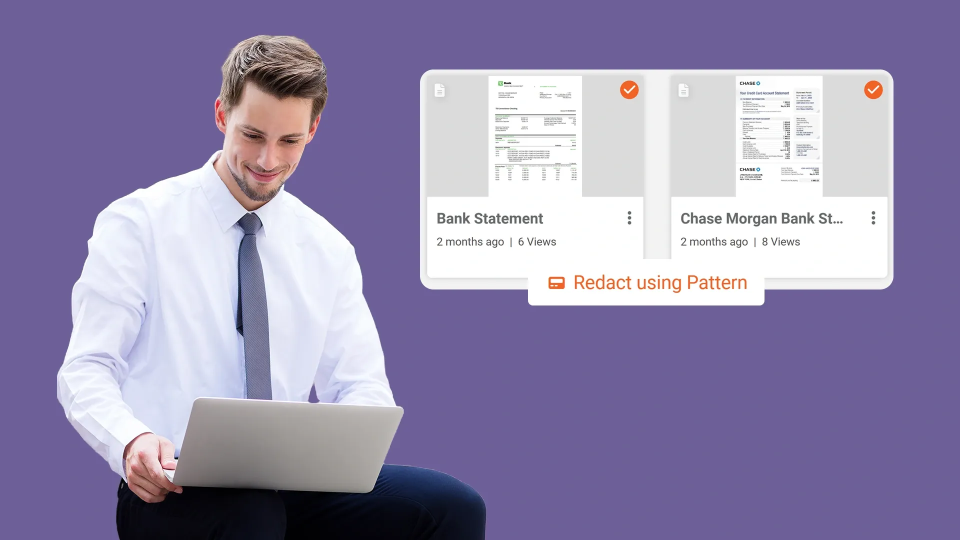
- Pattern-based recognition: Regex and templates for SSNs, IBAN, VINs, etc.
- Entity recognition: NLP to detect people, organizations, locations
- Media redaction: Face, license plate, and screen detection for video; speaker segments and PII in audio
The goal is clear: move from page-by-page scanning to automated identification, followed by targeted human review.
2. Policy-driven redaction rules
You should be able to encode your policies into the system, not rely on everyone remembering them.
For example:
- “Mask all dates of birth and national IDs in any external disclosure.”
- “Retain job titles but remove names below director level for internal case studies.”
- “For EU data subjects, apply GDPR-sensitive fields; for US records, add HIPAA rules where applicable.”
When you use redaction software for legal and compliance workflows, policy-based rules ensure consistency across matters, teams, and regions.
3. Workflow orchestration and collaboration
Redaction is rarely a solo activity. You need:
- Role-based access control (RBAC) for legal, compliance, outside counsel, business owners
- Configurable workflows: detection, first pass, second-level review, approval, export
- Task assignment and status tracking
- Commenting and change tracking within the redaction environment
This turns redaction from a side-task into a managed, auditable process.
4. End-to-end audit trails and reporting
Any serious redaction solution for legal and compliance should generate:
- Event logs of all actions taken (who, what, when)
- Version history of each file
- Reports summarizing redaction activity for a matter or request
- Evidence to show regulators or courts how you handled sensitive data
When you use redaction software for legal and compliance workflows with strong audit capabilities, defensibility ceases to rely on individual memories.
5. Secure deployment and integration
Redaction often involves your most sensitive data. Evaluate:
- Deployment options: SaaS, private cloud, on-premises
- Encryption in transit and at rest
- Integration with your DMS, ECM, case management, and video repositories
- Identity and access management alignment (SSO, SAML, SCIM)
The point of using redaction software for legal and compliance workflows is to reduce risk, not create a new data silo.
How redaction software fits into real legal and compliance use cases
Instead of thinking in terms of “law firms” or “public agencies,” focus on the workflows you actually run.
Internal investigations
Use redaction software to:
- Automatically detect employee names and identifiers in emails and chat logs
- Mask by default, then selectively reveal based on need-to-know
- Prepare sanitized evidence bundles for HR, leadership, or external counsel
Regulated disclosures and FOIA-style requests
For public-facing releases or regulator submissions, you can:
- Apply policy templates based on jurisdiction and request type
- Run bulk redaction across large document sets and recordings
- Produce both redacted and unredacted versions with clear chain of custody
Compliance reviews and audits
During compliance reviews, you often need to share real examples without revealing customer or employee identities. Redaction software lets you:
- Strip or obfuscate sensitive identifiers
- Retain enough context for meaningful review
- Standardize how examples are anonymized across teams
Litigation and eDiscovery
In legal proceedings, you can use redaction software for legal and compliance workflows to:
- Apply privilege and confidentiality redactions systematically
- Mirror protective order requirements in redaction policies
- Log redaction reasons for challenges and meet-and-confer discussions
Rolling out redaction software without breaking existing workflows
Adoption often fails not because the technology is bad, but because it’s thrown on top of already-stressed teams.
A more pragmatic path looks like this:
1. Start with a contained, painful workflow
Pick a specific recurring use case where redaction is a known bottleneck. For example:
- FOIA responses in one business unit
- Employee relations investigations
- Quarterly regulatory submissions in a specific region
Implement redaction software for legal and compliance workflows there first. Measure time saved, error reduction, and team experience.
2. Encode policy, don’t just automate tasks
Work with your legal and compliance leaders to translate existing guidelines into concrete rules:
- What must always be redacted?
- What can be revealed under certain conditions?
- How do rules differ by audience (internal, regulator, public)?
This turns redaction software into a policy enforcement layer, not just a faster marker.
3. Integrate where it matters (not everywhere)
Focus integration on systems that create the most redaction workload, such as:
- Case or incident management platforms
- Video surveillance or interview recording systems
- Document and content management repositories
Embed “Send to redaction” and “Return redacted copy” steps into existing workflows so adoption feels natural.
4. Train for judgement, not button-clicking
Your teams don’t need a lecture on how to use a highlighter. They need guidance on:
- Interpreting automated detection results
- Overriding redaction rules when context demands it
- Documenting decisions for later scrutiny
When you use redaction software for legal and compliance workflows this way, it augments professional judgment instead of replacing it.
Measuring impact: From tactical tool to risk-control layer
To justify investment and drive adoption, you need to measure what changes when you introduce redaction software for legal and compliance workflows.
Operational metrics
- Time to complete redaction for a standard set of documents or recordings
- Number of matters delayed due to redaction bottlenecks
- Volume of records processed per analyst per week
Risk and quality metrics
- Number of redaction-related incidents or near-misses
- Discrepancies found during second-level reviews
- Regulator or auditor feedback on data handling practices
Strategic impact
- Attorney and analyst time reallocated from manual work to higher-value tasks
- Ability to take on more complex matters without expanding headcount
- Increased confidence in meeting disclosure and reporting obligations
When leadership can see redaction as a measurable, controlled process, not a black box of late nights and manual effort, it becomes easier to invest, govern, and scale.
People Also Ask
Start with high-volume, high-risk categories: PII (names, addresses, national IDs), PHI where applicable, financial identifiers, and employee identifiers in common documents and recordings. Focus on recurring workflows—such as regulatory disclosures or investigations—where these data types appear repeatedly and drive manual workload.
Advanced solutions can process video and audio as well as text documents. They detect faces, license plates, on-screen text, and spoken PII for automated or semi-automated redaction. If you regularly share recordings of interviews, hearings, or surveillance, prioritize media support when you choose to use redaction software for legal and compliance workflows.
Well-implemented automation usually exceeds manual consistency, especially at scale. However, it should be treated as a first pass, not a final answer. The best approach combines automated detection with targeted human review and policy-based rules, so reviewers focus on judgment calls instead of hunting for every instance of sensitive data.
Look for solutions that log actions, track versions, and tie redaction rules to documented policies. When you use redaction software for legal and compliance workflows with strong audit trails, you can show who did what, when, and under which policy, significantly strengthening your position in audits, disputes, or investigations.
Not necessarily. Many organizations layer redaction software on top of existing systems via integrations or connector-based workflows. Documents and media flow from your DMS, ECM, or case platform into the redaction layer and back. The key is to design a minimal set of integrations around your heaviest workflows, not to rebuild everything at once.
Use configurable policy templates. You can define rulesets by jurisdiction (e.g., EU vs. US), use case (regulator vs. public disclosure), or data subject category. When you use redaction software for legal and compliance workflows this way, analysts can apply the right policy per matter instead of reinterpreting regulations every time.
It should. Robust tools can scrub or standardize metadata (author names, file paths, comments, revision history) as part of the redaction process. Make sure metadata handling is configurable so you can align it with your legal hold, discovery, and records management obligations.
Start small, with one painful workflow and a clear definition of success. Provide training focused on interpreting automated results and exercising judgment, not just button-clicking. As teams see reduced rework and fewer fire drills, expand to additional workflows and integrate more deeply with existing systems.
About the Author
Hassaan Mazhar
Hassaan Mazhar is a B2B SaaS content strategist at VIDIZMO specializing in AI redaction, compliance technology, and enterprise content marketing. He builds trust-driven narratives for legal, public sector, and enterprise audiences navigating data privacy and video intelligence challenges.
Jump to
You May Also Like
These Related Stories
Bulk Document Redaction for Law Firms: Redact Thousands of Documents

Best Redaction Software for Legal Documents | Compliance Guide


No Comments Yet
Let us know what you think