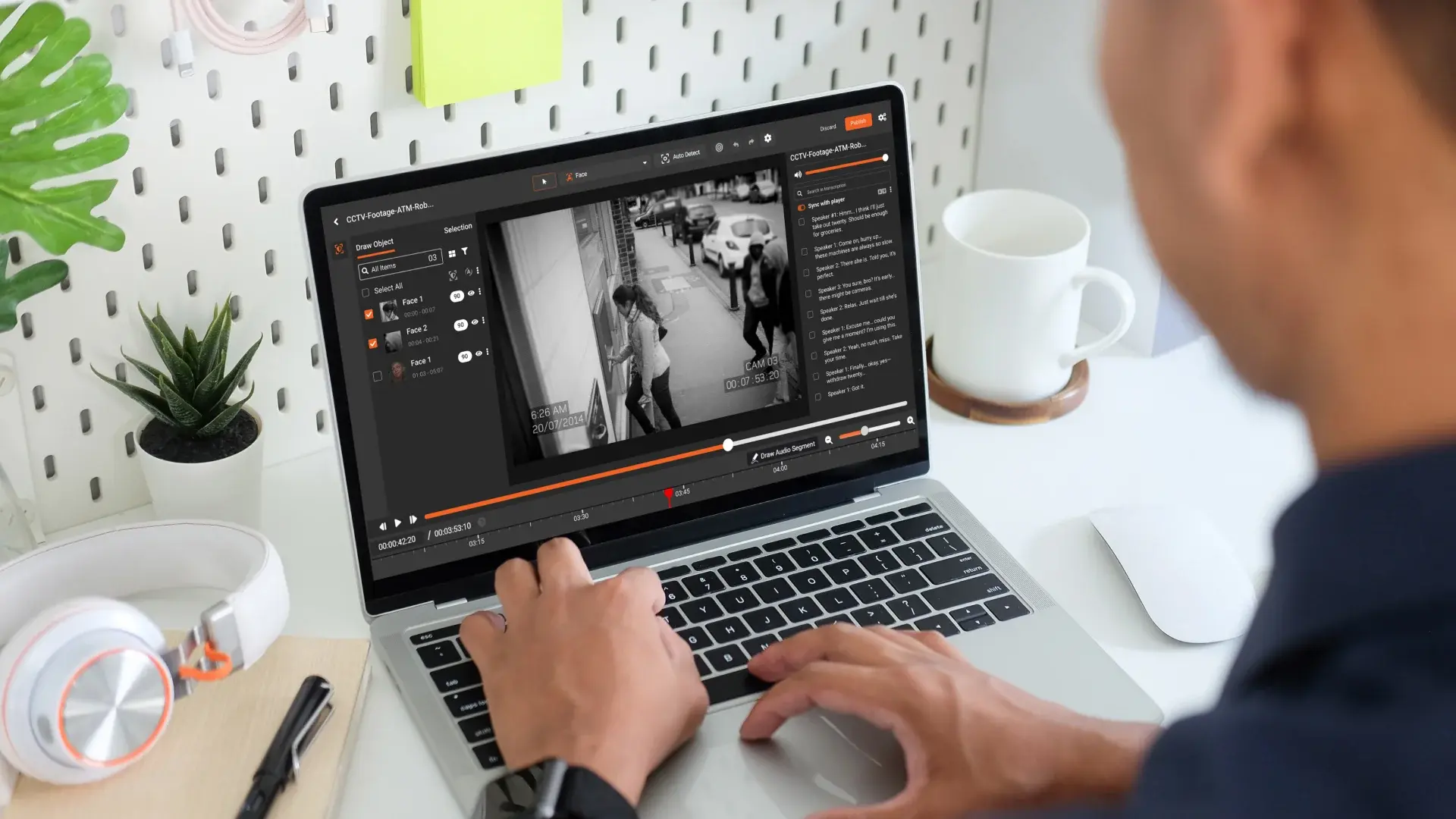
Video has become the backbone of modern corporate communication. From employee onboarding and compliance training to screen-recorded demos and internal knowledge sharing, organizations rely heavily on video to educate and collaborate.
But there’s a growing problem: videos often capture sensitive information unintentionally.
A single screen recording can expose employee data, customer records, financial details, login credentials, or confidential documents. Once that video is shared internally or worse, externally, the damage can be difficult to undo.
This is where document and screen redaction in video becomes essential.
Why Sensitive Data Exposure in Videos Is a Real Risk
Unlike documents or images, videos are dynamic. They capture everything happening on screen, including:
- Open documents with personal or financial information
- Email inboxes and chat messages
- CRM dashboards and internal systems
- System notifications and pop-ups
- Background tabs or windows during screen recording
In corporate training and screen-recorded workflows, these exposures are rarely intentional—but they are high-risk.
Industries dealing with regulated data (finance, healthcare, government, legal, and enterprise IT) face serious consequences if sensitive information appears in video content.
What Is Document Redaction in Video?
Document redaction in video refers to the process of permanently masking or obscuring sensitive information visible within documents shown in a video.
This includes redacting:
- Names and addresses
- Account and ID numbers
- Financial figures
- Confidential text or tables
- Classified or internal-only content
Unlike static document redaction, video redaction must track information across frames, even as the document scrolls, zooms, or moves.
VIDIZMO Redactor enables organizations to securely redact documents embedded in videos—ensuring sensitive data never reaches unintended viewers.
Screen Recording Redaction: A Must for Modern Workflows
Screen recordings are everywhere:
- Software walkthroughs
- Internal training sessions
- Customer support demos
- Remote collaboration recordings
The challenge? Screen recordings are unpredictable.
An employee may:
- Switch between applications
- Open confidential files mid-recording
- Receive sensitive notifications
- Accidentally reveal user data
Screen recording redaction allows organizations to identify and mask sensitive areas on the screeneither manually or automatically, before videos are shared.
With VIDIZMO Redactor, teams can:
- Redact specific screen regions
- Blur sensitive UI elements
- Protect data across moving screens
- Ensure consistent redaction throughout the video
Sensitive Data Video Protection for Corporate Training
Corporate training videos are often distributed widely across an organization. Without proper redaction, they can unintentionally expose:
- Employee PII
- Internal processes
- Proprietary systems
- Client or partner information
This is especially risky when training content is reused, repurposed, or shared across departments.
Sensitive data video protection ensures training materials remain compliant, secure, and safe for long-term use without sacrificing clarity or learning outcomes.
Key Benefits of Video Redaction for Enterprises
Implementing document and screen redaction in video helps organizations:
- Reduce compliance risks with data protection regulations
- Protect employee and customer privacy
- Safely reuse video content across teams and audiences
- Maintain trust with clients, partners, and stakeholders
- Prevent accidental data leaks before they happen
For enterprises scaling their video strategy, redaction is no longer optional—it’s a necessity.
Why VIDIZMO Redactor?
VIDIZMO Redactor is built specifically for organizations that rely on video but can’t afford data exposure.
It enables:
- Secure redaction of documents visible in videos
- Advanced screen recording redaction
- Consistent protection of sensitive data across frames
- Scalable workflows for enterprise and regulated environments
Whether you’re producing internal training, recording screens for demos, or sharing operational videos, VIDIZMO Redactor helps ensure your videos tell the right story without revealing what they shouldn’t.
You Can Start Your Free Trial Today - No Credit Card Needed

Final Thoughts
As video continues to dominate corporate communication, the risk of exposing sensitive information grows. Documents and screens captured on camera can contain far more data than intended, and once shared, that data is hard to take back.
By investing in document redaction video tools, screen recording redaction, and sensitive data video protection, organizations can confidently use video without compromising security or compliance.
FAQ
Frequently Asked Questions
What is document redaction in video?
Document redaction in video is the process of permanently masking sensitive information that appears within documents shown in a video recording. This includes redacting personal data, financial information, account numbers, confidential text, and other protected content that may be visible during screen recordings or camera captures.
Unlike static document redaction, video redaction ensures that sensitive information remains obscured throughout moving frames, scrolling pages, and transitions.
Why is screen recording redaction important for corporate training?
Screen recording redaction is critical because training videos often capture live systems, employee data, internal dashboards, or confidential workflows. Without proper redaction, these recordings can unintentionally expose sensitive information to broader audiences.
By implementing screen recording redaction, organizations can safely share training content while protecting employee privacy, client data, and proprietary systems.
What types of sensitive data should be redacted in videos?
Organizations should redact any information that falls under privacy, compliance, or confidentiality requirements, including:
- Personally Identifiable Information (PII)
- Financial records or account numbers
- Login credentials or authentication data
- Customer or patient information
- Internal system configurations
- Confidential business documents
Proper sensitive data video protection ensures compliance with regulations and reduces the risk of data breaches.
Can sensitive information be automatically detected in videos?
Yes. Advanced video redaction solutions use AI-powered detection to automatically identify sensitive elements such as faces, text, license plates, or screen data within videos.
Automated detection significantly reduces manual effort, especially for long training sessions or large volumes of screen recordings. However, human review is often recommended for maximum accuracy in regulated environments.
Is redaction in the video permanent?
Yes. Professional video redaction permanently removes or obscures sensitive information from the exported video file. Once redacted and rendered, the hidden data cannot be recovered from the final output.
This ensures that redacted training videos and screen recordings can be securely shared, stored, and reused without risking exposure.
TopicsRedaction
About the author
Zain Noor is a Product Marketing Executive at VIDIZMO with expertise in AI redaction technology. He focuses on how public safety agencies, government bodies, and commercial organizations adopt and operationalize video intelligence at scale.
You may also like

Video Redaction Best Practices: Motion, Frame Rates, Tracking and Failing Safe
I led our video redaction project for a county public safety agency where two people handled every disclosure, and ...

Redacting Dash Cam, Body Cam and Drone Footage From a Moving Camera
A fleet claims manager preparing crash footage for an insurer and defense counsel is doing a different job from a ...

Why Frame-Rate Headers Lie: Redacting Variable Frame Rate Video
A video file keeps time frame by frame, and the frames-per-second figure a player displays is a summary of that timing, ...