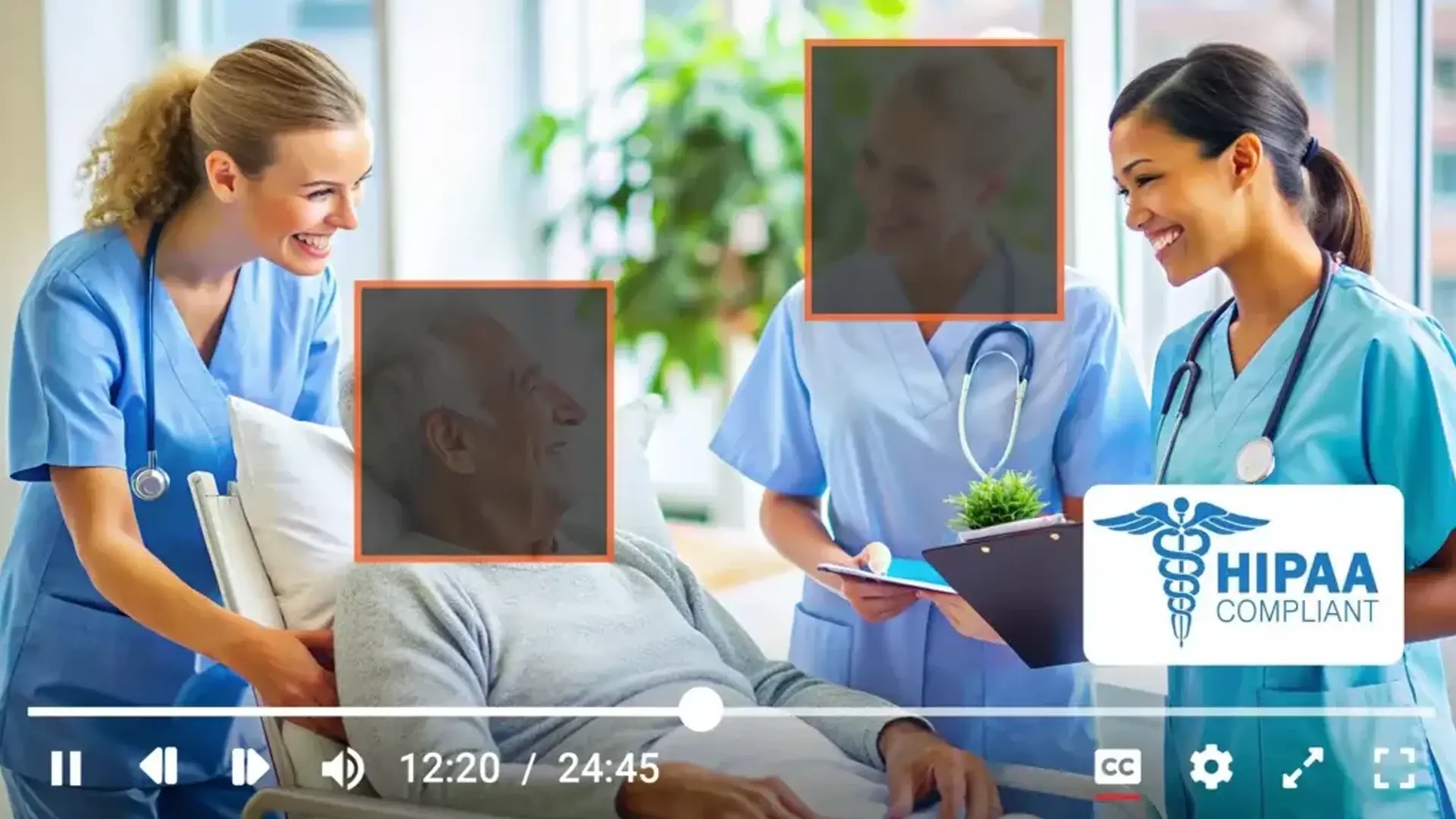
Explore how to protect patient privacy and healthcare video data to ensure HIPAA compliance with secure, automated, AI-powered video redaction software for healthcare with flexible deployment.
Video data is pivotal in today's healthcare landscape, encompassing everything from telemedicine consultations and patient monitoring to medical training and surveillance - all of which involve sensitive Protected Health Information (PHI).
A single sharing error or inadequate data protection could expose sensitive, unredacted video data, including patient and staff identifiers covered under Protected Health Information (PHI), and risk compliance with the Health Insurance and Portability Act (HIPAA).
The consequences? Regulatory violations, hefty fines, and a severe loss of patient trust. In one of the largest HIPAA settlements, Anthem Inc. was fined $16 million after a data breach exposed 79 million individuals' PHI. This highlights the critical need for video redaction for healthcare.
In this blog, we’ll explore the challenges of managing video content in healthcare, the repercussions of non-compliance with HIPAA, and how video redaction in healthcare can help you protect patient privacy and meet HIPAA requirements.
Alternatively, if you're looking for a HIPAA-compliant video platform, click here to learn more.
Video Redaction for Healthcare: Types of Sensitive Video Content & Why It Matters
In the healthcare industry, video content has become an essential tool for various applications, each serving a unique purpose. Here are some of the most common types of video content produced in healthcare that require healthcare video redaction.

Telemedicine Consultations
Telemedicine has revolutionized patient care by allowing healthcare providers to conduct consultations remotely via video. These videos often contain sensitive patient information, including discussions of symptoms, diagnoses, and treatment plans, making their secure handling crucial.
Surgical Recordings
Videos of surgical procedures are commonly recorded for educational purposes, allowing medical students and professionals to learn from real-life cases. These recordings may capture detailed patient information, requiring careful management to ensure compliance with privacy regulations.
Patient Monitoring and Diagnostic Imaging
Healthcare providers frequently use video content to monitor patients, particularly in critical care settings, and to capture diagnostic imaging, such as ultrasounds or endoscopies. These videos play a vital role in ongoing patient care and contain highly sensitive information that requires strict protection.
Training and Educational Videos
Healthcare providers produce a wide range of training videos for both medical staff and patients. These videos may cover topics such as the use of medical equipment, patient care protocols, or specific medical procedures. While educational, these videos can still include identifiable patient information or sensitive content that needs to be redacted before sharing.
Each video content type is critical in the healthcare ecosystem but presents unique challenges regarding data management, privacy protection, and regulatory compliance.
Challenges of Managing Sensitive Video Content in Healthcare Redaction Software
Managing and securing video content in healthcare is not just a logistical challenge; it's a matter of protecting sensitive patient information. The growing use of video in medical settings requires stringent measures to ensure patient privacy is not compromised while storing or sharing it. However, several challenges arise that complicate this process.
Multiple file Types and Formats
Managing video content in healthcare is challenging due to the diversity of file formats such as MP4, AVI, MOV, and WMV. Each format has different structures, making storage, management, and redaction complex.
Beyond videos, healthcare data also includes documents, images, and audio files, all of which may contain PHI. However, some redaction tools often lack support for multiple file formats, making it difficult to secure PHI across different media types.
To ensure compliance with HIPAA and other regulations, healthcare organizations need an advanced redaction solution that supports various file formats and all types of media. A versatile, AI-driven tool can efficiently identify and redact PHI, ensuring seamless compliance and patient privacy protection.
Sensitive Patient Information
Videos often contain sensitive patient information, including identifiable images, audio, and medical data under Protected Health Information (PHI). The sheer volume of video content produced and the complexity of manually redacting sensitive information from these videos can overwhelm healthcare providers.
One of the primary challenges is that video content is often unstructured, making it difficult to identify and redact PHI without sophisticated tools. Unlike text-based documents, where you can easily highlight and remove PHI, video content demands a more complex approach to redact sensitive information appropriately.
But the challenge doesn't end here.
Risk of Exposing PHI in Video Content
The risks associated with improper handling of PHI in video content are significant. Exposure to sensitive information can result in healthcare providers facing severe penalties for exposing sensitive data protected under HIPAA and other healthcare data privacy regulations.
Consider a scenario where a healthcare individual records a medical activity for educational purposes. Sharing the video without proper redaction could reveal the patient’s identity and violate HIPAA regulations.
Information Access Requests
The HIPAA Privacy Rule and other information access requests like DSARs gives individuals certain rights, including the right to timely access and obtain a copy of their health records. These medical records encompass a variety of formats, including video recordings. As a healthcare provider, keeping video records of a patient's treatment or consultations will require you to share them when requested. Failing to do so can result in hefty penalties.
However, you must ensure the video only includes the requested patient’s information, emphasizing the need to redact others' PHI.
Preventing Unauthorized Access
A huge first step and challenge in ensuring patient privacy is blocking access to video content from unauthorized users. Implementing strict access controls to ensure only authorized personnel view or manage sensitive video content is crucial yet complex.
Additionally, maintaining detailed logs of who accessed what and when becomes vital for compliance and security audits, adding another layer of challenge.
While such issues exist, the consequences of overlooking them can be severe in terms of financial penalties and reputational damage. Therefore, weighing the consequences carefully is essential to ensure you take practical steps to address these challenges.
The Consequences of Non-Compliance
Failing to adequately protect patient information in video content can have dire consequences.
Non-compliance with HIPAA and other regulations, whether protecting patient privacy or timely sharing of requested medical records, exposes healthcare providers to legal and financial risks and greatly undermines the patient’s trust in them.
Legal and Financial Repercussions
HIPAA sets strict guidelines for protecting PHI, and non-compliance can lead to significant fines, with penalties reaching up to $50,000 per violation, depending on the category. In cases of willful neglect, authorities can impose higher fines and bring criminal charges against the healthcare provider.
In addition to financial penalties, healthcare providers may also face civil or class action lawsuits if the data of many patients is at risk. These lawsuits can result in substantial settlements and legal fees, further compounding the financial impact of non-compliance.
Impact on Patient Trust
Beyond the legal and financial consequences, failing to manage and redact healthcare video content properly can profoundly impact patient trust. A single incident of mishandled video content can erode patients' confidence in their healthcare provider, leading to a loss of business and long-term reputational damage.
For instance, a healthcare provider who fails to redact patient information from a video shared publicly could face a backlash. News of the breach could spread quickly, damaging the provider's reputation and leading to a loss of patients.
Operational Disruptions
Non-compliance can trigger audits and investigations by regulatory bodies, disrupting daily operations. The organization may need to allocate significant resources to address compliance issues and implement corrective actions.
Moreover, in severe cases, non-compliance may result in the loss of accreditation or certification from relevant healthcare bodies, affecting the ability to operate.
Regulatory Restrictions and Future Implications
If regulators find you non-compliant, they may exclude your organization from federal healthcare programs like Medicare and Medicaid. In some cases, you may be required to publicly disclose PHI breaches, inviting further scrutiny and reputational harm.
Moreover, the provider’s history of non-compliance could influence future regulatory decisions, such as the approval of new technologies or participation in pilot programs. This could impact innovation and prevent providers from adopting cutting-edge solutions that enhance patient care and operational efficiency.
While the challenges and consequences we've discussed may seem daunting, there's no need to be overwhelmed. With the right approach and tools, you can effectively manage the above risks, ensure HIPAA compliance, and protect your video content.
Let's explore a practical solution that you can implement to effectively protect patient privacy, ensure HIPAA compliance, and solve your healthcare video management woes.
How Video Healthcare Redaction Software Ensures HIPAA Compliance
Implementing robust video redaction software tools helps healthcare providers identify and redact protected health information, such as patient faces, names, distinctive personal attributes, health information, or insurance numbers. These tools actively detect and obscure sensitive information, protecting patient privacy and ensuring HIPAA compliance.
By leveraging artificial intelligence and machine learning, these tools automatically redact sensitive information, replacing it with a blurred or blacked-out area that maintains patient confidentiality. This approach ensures compliance with HIPAA and saves healthcare providers significant time and resources that would otherwise go toward manually identifying and safeguarding personally identifiable information.
However, many in the healthcare sector are unaware of the best practices for video redaction. While numerous video editing tools are available, most are designed for creative use and lack the specialized capabilities required for effective video redaction. Therefore, using specialized video redaction software is the most efficient way to manage the process and ensure compliance.
Benefits of Using Specialized Video Healthcare Redaction Software
A specialized video redaction tool offers numerous benefits. It allows you to protect patient privacy and ensure HIPAA compliance conveniently and effectively. Let's look at some of the additional benefits.

Multiple File Format Support
Advanced healthcare redaction software offers broad support for multiple file formats, ensuring that sensitive PHI is protected across various media types. In addition to video files (MP4, AVI, MOV, etc.), these tools also support documents (PDF, Word), images (JPEG, PNG), and audio files (MP3, WAV).
This versatility allows healthcare providers to efficiently manage and redact PHI across all forms of content, ensuring compliance with HIPAA and other data privacy regulations.
Scalability
These tools handle large volumes of video content, making them ideal for healthcare providers that generate significant amounts of video data. Their scalability ensures they grow with the provider's needs, managing more sensitive video content as operations expand. The bulk redaction feature in these tools allows you to upload multiple video files and redact them with accuracy and consistency.
Accuracy and Precision in Video Redaction for Healthcare
Specialized video redaction for healthcare tools offers advanced benefits such as automated detection and PHI redaction with the help of object detection and pattern recognition capabilities. This ensures that no sensitive information is overlooked. Additionally, the precision of these tools minimizes the risk of human error, which is crucial in maintaining compliance with HIPAA regulations and protecting patient privacy.
Comprehensive Audit Trails
These tools provide comprehensive audit logs/chain of custody that track redaction activities on a video, helping healthcare providers demonstrate compliance with HIPAA regulations during audits. The ability to generate detailed reports on who accessed the video, what information was redacted, and when it was redacted adds an extra layer of accountability and transparency to the process.
Enhanced Security Features
When protecting patient privacy and ensuring compliance with HIPAA, the security of your video becomes paramount. Video redaction tools prioritize security by employing advanced encryption techniques to protect video content from unauthorized access. Robust security and access management features support this, including SSO integration, multi-factor authentication, and role-based access controls.
Cost and Time Efficiency
Automating the redaction process reduces the time and labor costs of manually editing video content. This efficiency allows healthcare providers to allocate resources to other critical patient care and operations areas. The cost savings from reduced labor and faster processing times can be significant, especially for organizations dealing with large volumes of video content.
Regulatory Compliance
By implementing video redaction tools, healthcare providers comply with current HIPAA regulations and position themselves to meet future regulatory requirements as well. As data privacy laws evolve, a robust redaction system allows you to quickly adapt to new standards, reducing the risk of non-compliance.
Such benefits can comprehensively fulfill all your needs of protecting patient privacy and ensuring compliance with HIPAA.
Implement VIDIZMO's Healthcare Redaction Software for HIPAA Compliance
With the increasing use of video content, along with documents, audio, and images containing senstitive PHI in healthcare, VIDIZMO Redactor provides a powerful and comprehensive AI-driven solution for automated redaction, ensuring patient privacy and HIPAA compliance.
By leveraging VIDIZMO Redactor and its video content management solution, healthcare organizations can efficiently redact sensitive information, streamline video content management, and ensure compliance with HIPAA and other data privacy regulations.
Key Takeaways
-
The Importance of Video Redaction for Healthcare: Video data in healthcare, such as telemedicine consultations, surgical recordings, and patient monitoring, contains sensitive PHI and requires strict protection to ensure HIPAA compliance.
-
Consequences of Non-Compliance: Improperly handling video content can result in regulatory violations, hefty fines, and a severe loss of patient trust, with penalties reaching up to $50,000 per violation.
-
Challenges of Managing Sensitive Video Content: Healthcare video content is often in diverse file formats (MP4, AVI, MOV, etc.), making it complex to manage and redact sensitive PHI. Additionally, videos contain unstructured data, making manual redaction difficult and prone to error.
-
Why Healthcare Video Redaction Software is Needed: Automated redaction using AI-powered tools ensures precise removal of sensitive data like patient identifiers, minimizing human error, and ensuring compliance with HIPAA regulations.
-
Benefits of Specialized Video Healthcare Redaction Software:
-
Supports multiple file formats (video, documents, images, audio).
-
Scalable to handle large volumes of data as healthcare operations grow.
-
Precise redaction using AI to ensure no sensitive information is overlooked.
-
Provides comprehensive audit trails to track redaction activities and ensure accountability.
-
-
Enhanced Security Features: Redaction software uses advanced encryption, multi-factor authentication, and role-based access controls to ensure patient data is secure and only accessible by authorized personnel.
-
Cost and Time Efficiency: Automating the redaction process reduces manual labor and accelerates video processing, allowing healthcare providers to focus on critical operations and reduce costs.
-
Regulatory Compliance: Specialized redaction software ensures HIPAA compliance by protecting PHI across various media types and adapting to evolving regulatory requirements, reducing the risk of non-compliance.
The Importance of Healthcare Redaction for Compliance and Privacy
In conclusion, managing sensitive video content in healthcare is critical to maintaining patient privacy and ensuring compliance with HIPAA regulations. With the growing use of video in telemedicine, surgical recordings, patient monitoring, and training, it is essential to have effective video redaction solutions in place. These solutions help healthcare providers protect sensitive Protected Health Information (PHI) by automatically detecting and redacting identifiable patient details, ensuring both privacy and regulatory adherence.
As healthcare providers face increasing risks of non-compliance and privacy breaches, adopting a robust healthcare redaction solution becomes a vital step toward safeguarding patient trust and avoiding severe penalties. If you are ready to enhance your video content management and ensure HIPAA compliance, explore our AI-powered healthcare redaction tools today. Start your Free Trial or Explore AI Services Now.
People Also Ask
How do you redact patient information?
Patient information can be redacted via specialized video redaction tools like VIDIZMO Redactor. These tools automatically detect and redact all types of PHI, including a patient's name, face, medical records, and social security number.
What is video redaction in healthcare?
Video redaction in healthcare refers to obscuring or removing sensitive information from video recordings, such as patient faces, identifying details, or other Protected Health Information (PHI). This practice ensures compliance with privacy regulations like HIPAA, protecting patient privacy while allowing the safe use and sharing of video content.
How to perform video redaction in healthcare?
To perform video redaction in healthcare, specialized software detects and obscures sensitive information, such as patient faces and identifying details, automatically, ensuring compliance with privacy regulations. Manual adjustments can also be made to fine-tune the redaction process.
How to ensure HIPAA compliance?
There are multiple steps to ensure HIPAA compliance. However, by incorporating video redaction in healthcare and using a specialized video redaction tool, you can effectively comply with HIPAA compliance's privacy, security, and omnibus rules.
What is PHI redaction?
PHI redaction is the process of removing or obscuring Protected Health Information (PHI) from documents, images, or videos to protect patient privacy. This ensures compliance with regulations like HIPAA and safeguards sensitive health data from unauthorized access.
What is the NHS privacy?
NHS privacy involves protecting patient confidentiality and health information, ensuring secure data sharing, and complying with laws like the Data Protection Act and GDPR to safeguard individuals' health data. Under this, individuals also have the right to inform NHS staff that they do not want their Personal Health Information shared in any way.
TopicsRedaction
About the author
Bassam Mazhar is a Product Marketing Executive at VIDIZMO covering video management, digital evidence, and data privacy. He focuses on delivering practical, AI-driven insights that help government agencies and enterprise organizations modernize how they store, manage, and act on video evidence.
You may also like

What Privacy Laws Require You to Redact From AI Training Data
The data you train an AI on is regulated the same way as any other copy of that data. If it holds personal information, ...
How to Redact Your Data Before Training or Customizing AI
Using your own data to train or customize an AI is different from feeding a document into a chatbot. When you train, ...
EOB and Claim Form Redaction: A Practical Guide for Billing Teams
Generic PHI redaction guidance does not account for the way billing documents are structured. EOBs often bundle ...