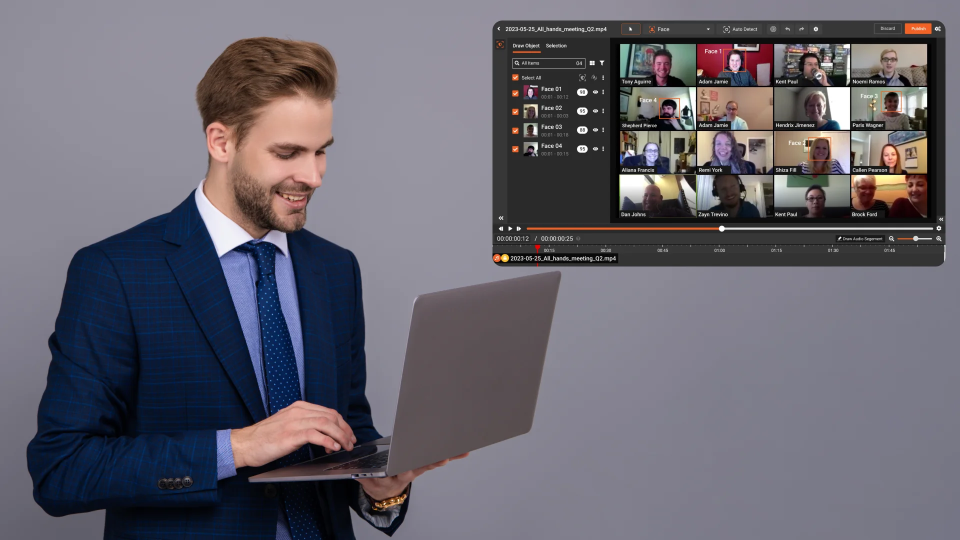
Teams are creating more videos than ever. Support walkthroughs, training sessions, sales demos, customer escalations, compliance evidence, and internal product reviews all end up recorded. The problem is that once you scale beyond a few videos, redaction becomes inconsistent. One person blurs emails, another misses IDs for two seconds, and a third exports with different standards entirely.
Batch video redaction is not just “doing more videos faster.” It is about building a repeatable, team-wide process that keeps sensitive information protected every time, across every video, regardless of who handles it.
This is where a dedicated redaction platform makes the difference.
Why batch redaction breaks in real teams
Redaction tends to fall apart at scale for a few predictable reasons.
Different people follow different rules
Without a shared standard, each editor decides what counts as sensitive and how aggressively to redact. That leads to inconsistent outcomes and a higher risk.
Videos contain repeated sensitive patterns
Ticket numbers, case IDs, email addresses, customer names, and patient information show up again and again across recordings. If you are not batching, you are repeating the same work manually.
High volume causes shortcuts
When the backlog grows, teams skip review, rush exports, and miss brief exposures, especially in screen recordings with scrolling documents.
No centralized workflow
When redaction is done in general-purpose video editors, there is often no structured review step, no consistent approvals, and no clear accountability.
What “standardized batch redaction” should look like
A scalable redaction workflow has four pillars.
1) A shared redaction policy
Teams should agree on a simple policy that answers:
- What must always be redacted (names, emails, phone numbers, IDs, faces, addresses, PHI)
- What may be left visible, depending on the audience
- What is never allowed to appear in external shares
The best policy is short, practical, and designed for how your team actually records and shares content.
2) A consistent redaction workflow
Batch redaction works when everyone follows the same stages:
- Intake and triage
- Redaction
- Review and QA
- Approval for sharing
- Export and distribution
When this workflow is standardized, you reduce misses and remove guesswork.
3) Repeatable patterns and templates
If your videos follow common pattern formats, you should be able to apply consistent redaction behavior across them. This is especially useful for recurring recordings like weekly training, support reproductions, or portal walkthroughs.
4) Clear ownership and review
Most redaction failures happen because nobody owns the final verification. Standardization means every output is reviewed before it leaves your team.
The best practices teams use to scale redaction
If you are trying to handle multiple recordings per day or per week, these practices matter.
Create a “redaction checklist” your team can follow
A short checklist prevents most errors:
- Redact emails and phone numbers shown in headers, footers, and side panels
- Redact IDs, case numbers, account numbers, policy numbers
- Redact names appearing in navigation menus, chat panels, and file explorers
- Review scroll segments at a slower speed for brief exposures
- Confirm sensitive text does not appear in the first and last 10 seconds (common miss areas)
Prioritize high-risk segments first
Not every second has equal risk. Batch workflows become faster when teams learn to triage:
- Login screens
- Search results pages
- CRM records
- Patient or customer profiles
- Scrolling through documents and PDFs
- Export dialogs showing file paths, usernames, or directory names
Reduce rework with consistent review
A clean review stage catches the “two-second leak” problems that are common when teams rush.
VIDIZMO Redactor is a complete solution for batch redaction teams
VIDIZMO Redactor is designed for video redaction as an operational workflow, not a one-off edit. That matters when your team must redact multiple recordings reliably and consistently.
Build a standard workflow across the team
Instead of relying on individual editing styles, VIDIZMO Redactor supports a structured redaction process that teams can follow consistently. This helps reduce variation and keeps output quality stable even as volume increases.
Handle complex screen recordings at scale
Batch workflows often include screen recordings where documents scroll, and sensitive text appears briefly. VIDIZMO Redactor is built for video redaction use cases, including motion-heavy recordings where manual editing tools often fail or become too time-consuming.
Enable review and quality control before sharing
Standardization requires a dependable review step. VIDIZMO Redactor supports review-driven workflows so teams can verify that redactions are complete before exporting or distributing content.
Scale with optional White Glove Professional Redaction Services
Some weeks are heavier than others. If your team needs help with spikes in volume, urgent deadlines, or complex content, VIDIZMO offers White Glove Professional Redaction Services to extend your capacity without compromising privacy outcomes.
Who benefits most from batch video redaction
Batch redaction is especially valuable for:
- Customer support and success teams are producing frequent recordings
- Healthcare and insurance operations handling sensitive claims and case files
- Consulting teams sharing walkthroughs of client deliverables
- Financial services and legal teams need controlled evidence sharing
- Training teams publishing internal video libraries at scale
Final takeaway
If your organization is producing multiple recordings each week, redaction should not depend on who edited the video. A standardized batch workflow reduces risk, accelerates turnaround, and makes sharing safe and repeatable.
VIDIZMO Redactor provides a complete solution for teams that need consistent video redaction across multiple recordings, with the ability to scale further through professional services when volume or urgency increases.
You can start your free trial today - No Credit Card Needed

FAQ
Frequently Asked Questions
Why does batch video redaction become inconsistent across a team?
Inconsistency happens when there is no shared policy and each editor decides what counts as sensitive on their own. Without a standardized workflow, one person blurs emails while another misses case IDs entirely. The fix is a documented redaction policy combined with a structured review stage before any video is exported or shared.
What should a standardized batch redaction workflow include?
A reliable batch redaction workflow needs four things: a shared policy defining what must always be redacted, a consistent process covering intake, redaction, QA, and approval, repeatable checklists for common sensitive elements, and clear ownership of the final review. Without all four, output quality varies by whoever handled the video that day.
What are the most commonly missed sensitive elements in batch video redaction?
The most frequent misses include names and IDs appearing in navigation menus or side panels, sensitive text visible for only a second or two during scrolling screen recordings, and data exposed in the first and last 10 seconds of a video. These are easy to overlook under volume pressure and require a dedicated review step to catch consistently.
Is batch video redaction suitable for screen recordings with scrolling documents?
Yes, but standard video editors are not built for it. Screen recordings with scrolling content create brief exposures of sensitive text that are easy to miss at normal playback speed. Dedicated redaction platforms handle motion-heavy recordings more reliably than general-purpose tools, which tend to become too slow or error-prone at scale.
How does VIDIZMO Redactor help teams scale batch video redaction without losing accuracy?
VIDIZMO Redactor is built around a structured workflow that teams can follow consistently across recordings, regardless of who handles each file. It supports redaction, review, and approval stages in one platform, reducing variation in output quality. For high-volume spikes or complex content, it also offers White Glove Professional Redaction Services to extend team capacity without compromising accuracy.
Which teams benefit most from a batch video redaction solution?
Teams that produce frequent recordings containing sensitive data get the most value. This includes customer support and success teams, healthcare and insurance operations, legal and financial services, consulting groups sharing client walkthroughs, and training departments publishing internal video libraries. Any team redacting more than a few videos per week needs a repeatable process, not a manual one.
TopicsVideo Redaction
About the author
Zain Noor is a Product Marketing Executive at VIDIZMO with expertise in AI redaction technology. He focuses on how public safety agencies, government bodies, and commercial organizations adopt and operationalize video intelligence at scale.
You may also like

Video Redaction Best Practices: Motion, Frame Rates, Tracking and Failing Safe
I led our video redaction project for a county public safety agency where two people handled every disclosure, and ...

Redacting Dash Cam, Body Cam and Drone Footage From a Moving Camera
A fleet claims manager preparing crash footage for an insurer and defense counsel is doing a different job from a ...

Why Frame-Rate Headers Lie: Redacting Variable Frame Rate Video
A video file keeps time frame by frame, and the frames-per-second figure a player displays is a summary of that timing, ...