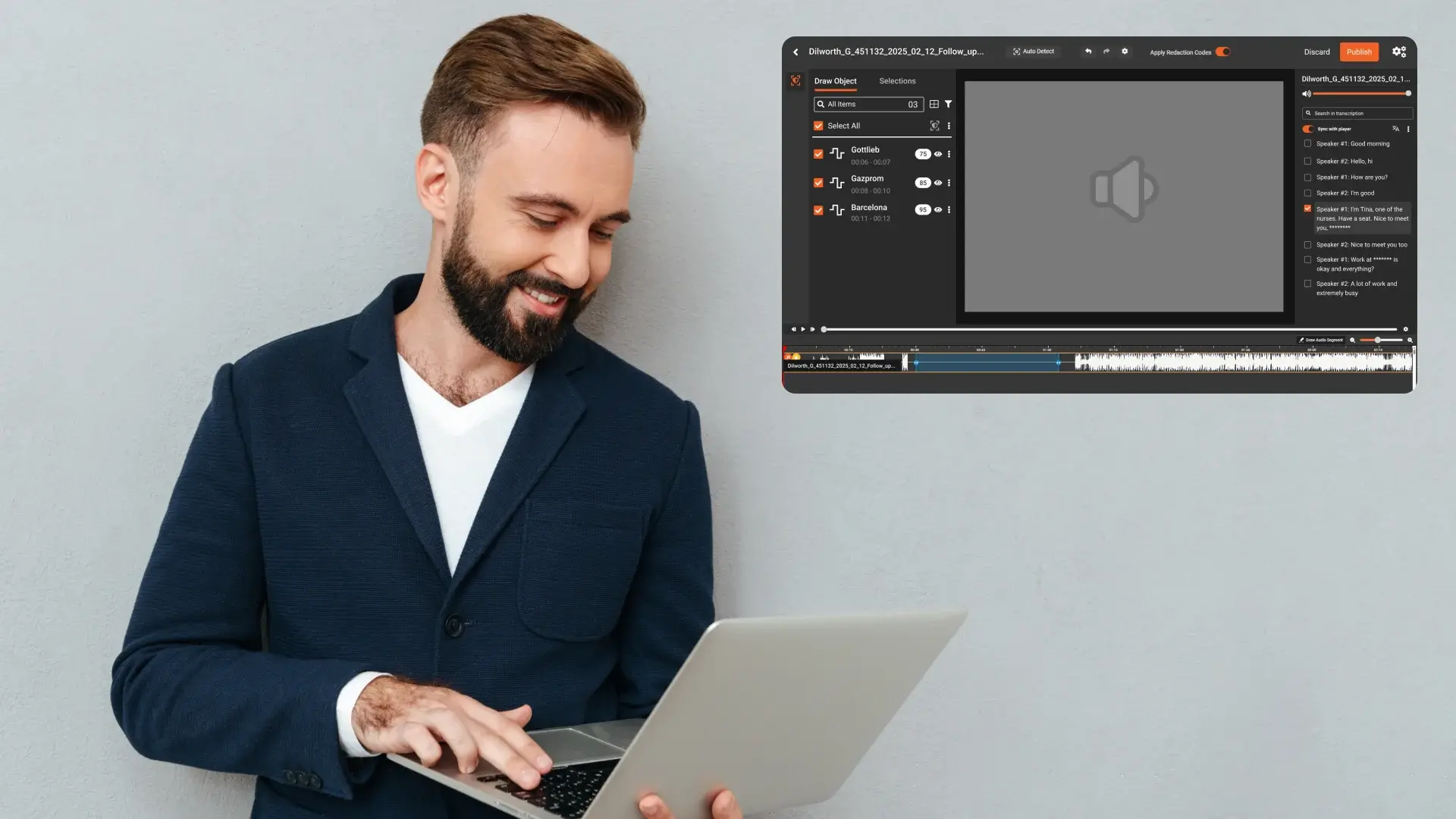
If your organization handles Subject Access Requests, audio is quickly becoming the toughest file type to manage. Customer support calls, complaint lines, voicemail, and recorded conversations often contain the requester’s personal data mixed with third-party personal data. That combination creates pressure: respond within deadlines, disclose what the law requires, and prevent accidental disclosure of other people’s information.
This guide gives you a clear, practical way to redact audio files like MP3s for GDPR and UK GDPR SARs. It is written for privacy, legal, and operations teams who want a process they can follow without getting lost in jargon. You will also see how VIDIZMO Redactor supports the full workflow.
You Can Start Your Free Trial Today - No Credit Card Needed

How to redact audio for GDPR SARs step by step
Use this workflow as your standard operating procedure. It helps reduces risk, prevents rework, and helps you respond faster.
Step 1: Confirm SAR scope and identify where audio lives
Audio redaction becomes expensive when the scope is unclear. At intake, document:
- the time period the requester is asking about, which systems store recordings (contact centre platform, quality monitoring system, CRM attachments, voicemail, Teams, or meeting recordings)
- which call types are in scope (support, sales, complaints, incident reporting)
- What “copy” format will you disclose (redacted MP3, redacted WAV, transcript plus audio
Create a simple case log that tracks every file linked to the request. This log becomes your operational backbone for retrieval, redaction, QA, and disclosure.
Step 2: Retrieve recordings and preserve an original
Always preserve the original recording in a restricted location. Work only on copies.
- Keep the original untouched for integrity and traceability
- Create a working copy for analysis and redaction
- capture metadata such as date, time, call queue, agent identifier, case ID, and file source
This is essential for a defensible process. You need to be able to show what you received, what you changed, and what you disclosed
Step 3: Identify what must be redacted in audio for SARs
In SAR audio, redaction usually falls into two buckets: requester data and third-party data.
Requester's personal data can include:
- the requester’s name, email, phone number, and address
- account or booking references read aloud
- order history or service details discussed on the call
- complaint content and dispute history
- any sensitive information shared during the call
Third-party personal data can include:
- names or contact details of other customers
- other individuals mentioned on the call, such as family members or companions
- background voices that identify someone
- staff's personal details that are not relevant to their role or are not necessary to disclose
- unrelated case references, other tickets, or other customer identifiers
A key point for SAR audio: third-party information is commonly embedded in normal conversation, not labelled as “confidential.” You must actively look for it.
Step 4: Choose the safest audio redaction method
Audio redaction must be irreversible. The goal is to ensure redacted segments cannot be reconstructed.
Common methods:
- Mute: removes the sensitive part completely, usually the cleanest for disclosure.
- Tone or bleep: makes it obvious where redaction occurred, useful when you want the requester to clearly see edits.
- Silence with markers: useful when pairing the audio with a transcript or redaction log.
Pick one method and standardise it. Consistency reduces confusion, simplifies QA, and lowers the chance of mistakes across teams.
Step 5: Use a human in the loop redaction approach for speed and accuracy
There are three ways teams typically redact audio, and each has tradeoffs:
Manual only
- Pros: maximum control
- Cons: very slow, costly, inconsistent across reviewers
Automated only
- Pros: fast
- Cons: higher risk, especially with noisy calls, multiple speakers, accents, cross-talk, and poor recordings
Hybrid, AI-assisted with human review
- Pros: fastest defensible approach for most organisations
- Cons: requires workflow discipline and QA rules
For SARs, the hybrid approach is the most practical. Use automation to find likely sensitive segments quickly, then validate and finalise edits with a reviewer. This reduces time while keeping risk controlled.
Step 6: Do a quick QA pass that catches common mistakes
You do not need a perfect academic QA process. You need a reliable one.
A strong SAR audio QA pass includes:
- Listen to every redacted segment to confirm it is fully covered
- Check the start and end points so nothing leaks
- sample non-flagged parts where PII often appears (greetings, identity checks, payment talk, address confirmation)
- Increase review for noisy calls, cross-talk, or long recordings
Also, document who reviewed, who QA checked, and when. This is what turns a “best effort” into a defensible process.
Step 7: Prepare the disclosure package so it is easy to understand
A good SAR delivery package for audio usually includes:
- the redacted MP3 (what you disclose)
- a redaction log with timestamps and simple reasons
- optional transcript with redaction markers if you use transcripts
Example redaction log entries:
- 00:02:14 to 00:02:20, phone number, muted
- 00:05:31 to 00:05:35, third-party name, tone
- 00:09:10 to 00:09:16, booking reference, muted
GDPR SAR audio redaction challenges and how to avoid them
Transcript mismatch can cause missed redactions
Transcripts help search and review, but transcription accuracy varies. Noise, cross-talk, and poor microphones can lead to missed entities or misheard details. Do not rely on the transcript only. Pair transcript-guided review with listening-based checks, especially in high-risk segments.
Third-party data is the biggest disclosure risk
Most accidental disclosures happen when third-party identities appear inside the same audio as the requester’s data. Create clear internal rules for what qualifies as third-party personal data in your context and train reviewers to apply the rules consistently.
Over-redaction creates complaints and repeated requests
If you redact too much, the requester may complain or submit follow-up requests, increasing workload. Use category-based redaction and maintain a redaction rationale so your approach stays consistent and explainable.
Note
Many tools describe audio redaction as a simple pipeline: transcribe, detect personal data, then redact. That approach is useful but incomplete for SAR teams because it often overlooks operational realities such as:
- defining third-party decision points early
- applying consistency rules across reviewers
- establishing QA sampling that reflects audio risk
- producing a disclosure package with clear redaction logs
To win trust and reduce risk, your SAR audio workflow must cover the full lifecycle from intake to delivery, not just the redaction click.
Best practices for redacting MP3 call recordings for SARs
Build a “what to redact” checklist for audio
At a minimum, include:
- full names and surnames
- phone numbers and email addresses
- home and work addresses
- booking references, account IDs, ticket numbers
- card-related numbers or security details
- passwords, PINs, security questions
- third-party names and identifiers
- background voices that identify someone when relevant
Standardise the sound of redaction
Pick your redaction sound and apply it consistently across all files in a case. If different reviewers use different styles, QA becomes slower, and trust decreases.
Keep a defensible audit trail
Maintain:
- original file reference
- working copy and final disclosed copy
- Who reviewed and who approved
- redaction timestamps and categories
- QA notes and escalation decisions
Reduce cycle time with triage
Not all recordings are equal. Triage helps:
- low risk calls: faster processing and lighter sampling
- high risk calls: deeper review and stronger QA
This allows your team to meet deadlines more reliably.
How VIDIZMO Redactor solves GDPR SAR audio redaction end-to-end
VIDIZMO Redactor supports redaction across audio and other common SAR evidence types, such as documents and video, which is important because most SARs involve mixed media. Instead of using separate tools and inconsistent workflows, you can manage review, redaction, and output from one platform.
AI-assisted redaction with human review
VIDIZMO Redactor helps your team locate sensitive segments faster and apply redactions with a reviewer in control. This supports the hybrid model most organisations need: speed without sacrificing defensibility.
Bulk processing for a contact centre scale
When SAR volumes rise or when a request includes many recordings, manual editing becomes a bottleneck. VIDIZMO Redactor is designed to support bulk redaction workflows so teams can handle multiple files efficiently while still applying review and QA.
Consistency, repeatability, and operational control
A strong SAR process is repeatable. VIDIZMO Redactor supports structured workflows that help teams:
- apply consistent redaction decisions
- standardise outputs across reviewers
- generate artefacts needed for internal reporting and QA
Secure handling and controlled disclosure
SAR audio contains sensitive information. VIDIZMO Redactor supports secure handling of content and helps teams prepare redacted disclosure copies in a controlled manner.
You Can Start Your Free Trial Today - No Credit Card Needed
FAQ
Frequently Asked Questions
What is the easiest way to redact an MP3 for a GDPR SAR?
The easiest reliable approach is AI-assisted redaction with a human reviewer. Automation helps you find likely personal data faster, and a reviewer confirms what should be redacted and finalises the output. This is usually faster than manual editing and safer than automation alone.
How do I handle third-party names and voices in SAR audio?
Start by identifying where third-party data appears, such as names, contact details, or background voices. Then redact the parts that would reveal personal data about others. Keep a redaction log with timestamps so your decisions are consistent and explainable.
Is a transcript enough for SAR audio redaction?
A transcript helps, but it should not be your only method. Transcripts can be wrong when audio quality is poor or when people talk over each other. Use the transcript to guide review, then listen to key parts and run a QA check.
What is better for SAR audio redaction, mute or bleep?
Mute is usually the cleanest for disclosure because it removes the information without adding a distraction. Bleep or tone is useful if you want redactions to be obvious to the listener. The best choice is the one you can apply consistently across all files.
How can I be confident I did not miss personal data in the audio?
Use a simple QA plan:
- Listen to every redacted segment
- sample likely PII areas like identity checks and payment talk
- Increase review for noisy calls and multiple speakers
- document who reviewed and who QA checked
Can VIDIZMO Redactor help us respond faster to SARs that include lots of call recordings?
Yes. VIDIZMO Redactor supports AI-assisted redaction and bulk workflows so teams can process recordings faster while keeping a reviewer in control. It also helps when SARs include other evidence types, because the same redaction approach can be used across formats.
TopicsRedaction
About the author
Zain Noor is a Product Marketing Executive at VIDIZMO with expertise in AI redaction technology. He focuses on how public safety agencies, government bodies, and commercial organizations adopt and operationalize video intelligence at scale.
You may also like

Video Redaction Best Practices: Motion, Frame Rates, Tracking and Failing Safe
I led our video redaction project for a county public safety agency where two people handled every disclosure, and ...

Redacting Dash Cam, Body Cam and Drone Footage From a Moving Camera
A fleet claims manager preparing crash footage for an insurer and defense counsel is doing a different job from a ...

Why Frame-Rate Headers Lie: Redacting Variable Frame Rate Video
A video file keeps time frame by frame, and the frames-per-second figure a player displays is a summary of that timing, ...