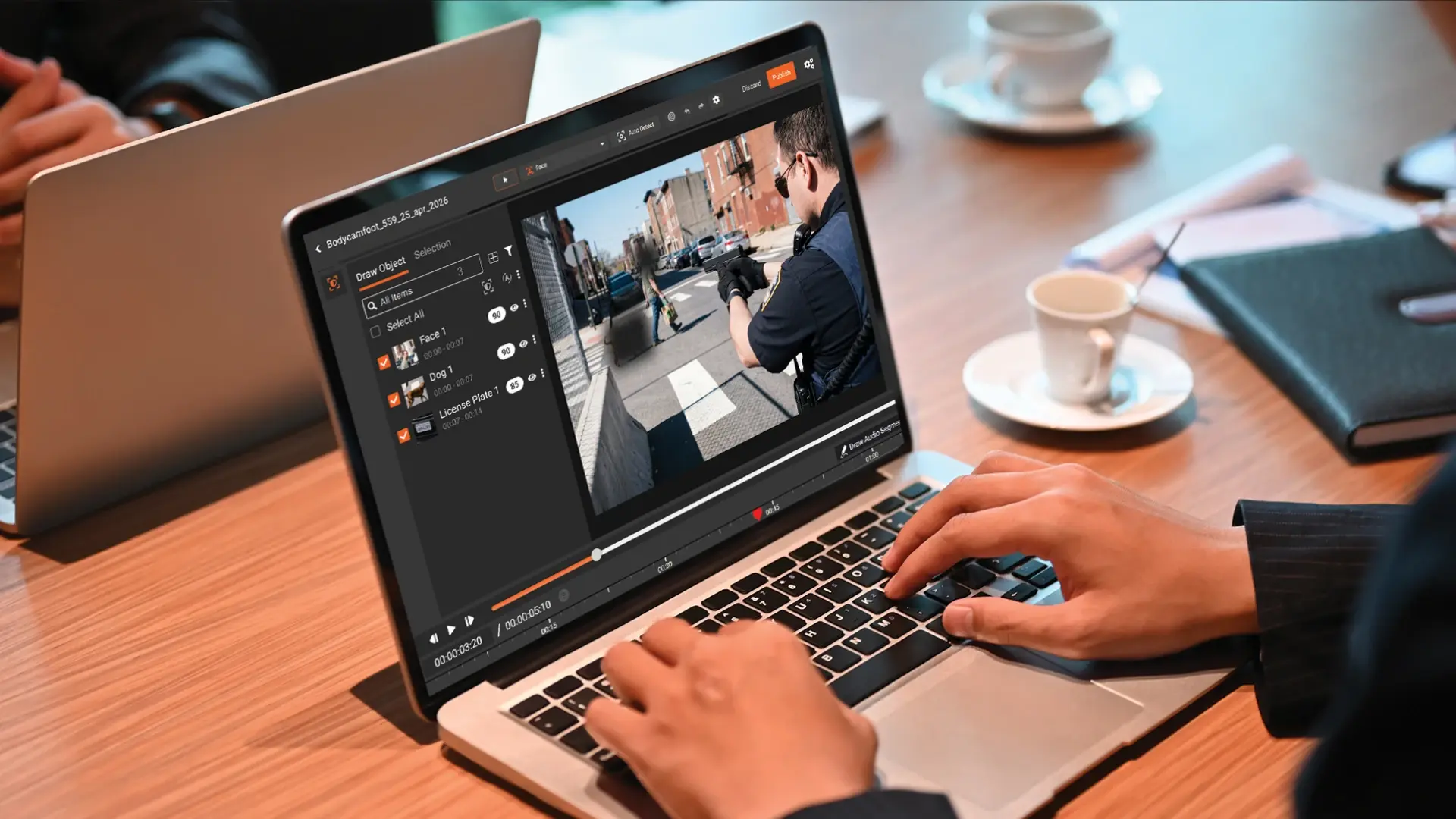
When a department changes BWC vendors, the old footage rarely moves with it. The new vendor's redaction tool refuses to ingest external MP4s. Meanwhile, FOIA requests keep landing for incidents tied to that older footage. The workable answer is a redaction tool that does not care which camera produced the video.
A records officer at a 30-officer municipal department logs into the new BWC platform on a Monday to clear a FOIA request from last week. The incident is from 2021. The footage was captured by the old camera system, phased out two years ago. The new vendor's redaction tool returns an error: file format not supported.
This is not unusual. It is a slow, common problem at hundreds of US agencies right now. The new platform handles current footage cleanly. The legacy archive, often years of video tied to active or pending matters, lives on a NAS or in a cold cloud bucket. The redaction tooling embedded in the new platform was never built to handle the old vendor's exports.
This guide covers why legacy footage gets stranded, what agencies are doing wrong about it today, and what a workable workflow looks like.
Why Legacy Body Cam Footage Gets Stranded After Vendor Migration
Several patterns produce stranded archives.
Vendor migration is the most common. Agencies move from one BWC vendor to another for cost, feature, or contract reasons. The new vendor's pipeline is optimized for footage from its own cameras. Older footage, even when exported to standard MP4, gets treated as external content and either rejected or downgraded by the platform's redaction tools.
Proprietary container formats are a second cause. Some legacy systems store footage in encrypted bundles, signed packages, or vendor-specific wrappers that have to be exported to MP4 before they can be processed elsewhere. The MP4 export retains the visual content but loses metadata the original system used. Tools downstream may treat the exported MP4 differently than they treat current-vendor content.
End-of-life cloud archives compound the problem. When a vendor contract ends, the agency typically has a window to download its footage before the cloud archive is deleted. Most agencies download to local storage in MP4. The archive becomes the agency's responsibility, but the agency no longer has a vendor-supplied tool to process it.
Cost-driven contract simplification is the last common driver. Smaller agencies sometimes drop redaction tooling subscriptions when budgets tighten, retaining only camera and storage. The footage is captured and stored; the redaction capability is gone. When FOIA requests arrive, the records officer has nowhere to take them.
What ties these together is that the redaction problem outlives the original vendor relationship.
Three Common Mistakes Agencies Make With Legacy BWC Archives
When the legacy archive cannot be processed in the new tool, three patterns emerge. None of them work well.
The first is manual frame-by-frame work in a generic video editor. The records officer opens the MP4, applies redaction marks frame by frame, and produces output that is consistent only as far as their attention extends. A one-hour BWC clip can take a full workday of analyst time. There is no audit trail. There is no persistent face tracking. The records officer ends up working evenings to keep up. Coverage suffers, and missed faces show up in the released file.
The second is outsourcing to managed services at high per-hour cost. The agency contracts a managed redaction service to handle the legacy backlog. This works for short-term burst capacity but becomes expensive when the archive is years deep. Per-hour rates for managed video redaction add up quickly. The agency loses direct control over the redaction decisions and waits on a vendor's queue for time-sensitive matters.
The third is denying or delaying the FOIA request. The records officer informs the requester that the agency cannot process the request inside the statutory window, or denies the request citing operational difficulty. Under most state public records laws, this is not a legal option. The denial gets appealed. The agency ends up producing the footage on a court-ordered timeline with attorney's fees attached and no control over the terms.
The pattern under all three is the same: the operational gap creates legal and budget consequences that exceed the cost of solving it.
What a Vendor-Agnostic Redaction Workflow Looks Like
The right answer is a redaction tool that does not care which BWC vendor produced the footage. It accepts MP4 (and other standard video formats) regardless of source, runs AI detection, and produces a defensible output.
Format-agnostic ingest matters first. The tool accepts MP4 from any source, plus the H.264 streams typical of older fixed-camera and dashcam systems. Proprietary CCTV containers can be auto-rewrapped to standard MP4 during ingest, which preserves the visual content without forcing the agency to find a separate conversion tool.
AI auto-detection across the archive matters next. Faces, persons, license plates, vehicles, and visible screens are detected with persistent tracking across frames. A bystander who turns their head or briefly disappears behind a car is still tracked across the clip. Detection is consistent across a multi-hour video, which is where manual review breaks down.
Batch processing handles volume. The archive moves through redaction as a batch rather than file by file. The records officer queues fifty clips overnight and reviews the output the next morning. Throughput scales with processing capacity, not with analyst hours.
An audit trail covers chain of custody. Every redaction is logged with operator, IP address, timestamp, and action type. The audit artifact exports as part of the FOIA response file.
How VIDIZMO Redactor works covers the technical view. The object detection feature page details the visual content classes.
Step-by-Step: How to Redact a Legacy MP4 Body Cam Archive
Move the legacy MP4 files into the redaction platform. For agencies with on-premises archives, this can run as a batch transfer to the platform's processing tier. For cloud archives, direct ingest from cloud storage avoids the local download step.
Configure the detection classes next. For BWC and dashcam footage, the typical set includes faces (bystanders, juveniles, victims, undercover officers), license plates, mobile data terminal screens visible in patrol vehicles, notepads or paperwork captured on camera, and any custom objects relevant to the agency's policy. Audio detection can be configured to identify spoken names, addresses, and other PII for muting.
Run the batch. Bulk redaction has been tested at two million recordings in deployment, so a multi-hour archive sits well within capacity. Batch jobs run during off-hours and surface results in the platform when complete.
Review with AI confidence scores. The reviewer works through the AI-flagged detections rather than scanning every frame manually. Confidence scores indicate which detections are high-certainty (typical face match) and which need closer review (partial occlusion, low light, edge cases). The reviewer confirms detections, overrides false positives, and adds anything missed.
Apply policy decisions. Some flagged content is redacted, some is not. The subject officer's face may stay visible while bystander faces are redacted. The reviewer applies the policy that matches the FOIA request type and the agency's release standards.
Export with the audit trail. The redacted output is exported. The audit log documents every redaction with timestamp, operator, and action type, in tamper-proof storage. The unredacted original remains in secured archive storage. The released copy is the artifact delivered to the requester.
Track the response. The audit log accompanies the FOIA response file. If the release is challenged, the audit artifact is the evidence of process.
This workflow handles a multi-year legacy archive without the manual frame-by-frame burden, the managed-service cost, or the deny-and-defend risk.
What to Look for in Redaction Software That Handles Legacy Archives
Format coverage comes first. MP4, MOV, and H.264 streams from older CCTV and dashcam systems. Auto-rewrapping for proprietary containers that need conversion. The tool should handle the formats your archive actually contains, not just current-vendor content.
Batch processing matters next. Throughput on multi-hour, multi-clip archives. Single-file workflow does not scale.
Deployment options follow. Cloud for the typical case, on-premises for agencies that keep the archive inside the county network. CJIS-aligned deployment paths for agencies handling criminal justice information.
Chain-of-custody reporting needs to be tamper-proof, with operator, IP, timestamp, and action type per event. Exportable as a defensibility artifact.
Vendor independence is the critical fit criterion. The tool should be sold as a standalone redaction platform, not as an add-on to one BWC vendor's stack. Vendor independence is what makes the tool work on legacy footage from any source. See top bulk FOIA video redaction software for 2026 for a comparison view.
Cost model matters last. Volume-based or consumption pricing absorbs a one-time legacy clearance project without forcing a multi-year commitment. Deployment choice plays into this too: see on-premises vs cloud redaction software for law enforcement IT.
Turn Your Legacy BWC Archive From Liability Into a Cleared Project
Legacy MP4 archives are an inconvenient inheritance. They will not migrate themselves. The agencies that handle them well treat the legacy clearance as a project rather than a permanent operational burden, run it through tooling that accepts the format and the volume, and produce defensible output with the audit trail to back it up.
See how VIDIZMO Redactor handles legacy archive redaction, and explore public records redaction software for the broader context.

FAQ
Frequently Asked Questions
Can I redact body camera footage that came from a discontinued BWC system?
Yes, as long as the footage was exported to a standard format like MP4. A vendor-agnostic redaction tool ingests the MP4 regardless of the source camera system and applies AI detection. The original vendor does not need to be operational. Most legacy BWC archives meet this condition because end-of-life contracts typically allowed MP4 export before shutdown.
What if the legacy footage is in a proprietary container format?
Proprietary containers (encrypted bundles, signed packages, vendor-specific wrappers) need to be unwrapped or converted before redaction. Some redaction platforms auto-rewrap common CCTV and BWC formats. Less common containers may need a separate conversion step. Once the footage is in MP4, the redaction workflow runs the same as for current-vendor content.
How long does it take to clear a legacy BWC archive?
A few hundred hours of legacy footage can typically be cleared in a few days of batch processing with reviewer oversight. A multi-thousand-hour archive is a multi-week project. The bottleneck is reviewer capacity, not processing capacity, because the AI handles detection at machine pace while humans review at human pace.
Is the audit trail still defensible when redaction happens years after the original capture?
Yes. The audit trail documents the redaction process, not the original capture. As long as the original footage is preserved with chain of custody intact and the redaction tool produces tamper-proof logs, the released file is defensible. Courts evaluate the redaction process against current standards, not against tooling available at the time of capture.
Do we need cloud deployment, or can we keep the legacy archive on-premises?
Either works. Cloud removes infrastructure overhead and is faster to provision. On-premises keeps the archive inside the agency's network, which some IT policies require. Most redaction platforms support both, with the same feature set in either model.
TopicsRedactionFOIA Redaction

About the author
Ali Rind is a Product Marketing Executive at VIDIZMO, where he focuses on digital evidence management, AI redaction, and enterprise video technology. He closely follows how law enforcement agencies, public safety organizations, and government bodies manage and act on video evidence, translating those insights into clear, practical content. Ali writes across Digital Evidence Management System, Redactor, and Intelligence Hub products, covering everything from compliance challenges to real-world deployment across federal, state, and commercial markets.
You may also like

Video Redaction Best Practices: Motion, Frame Rates, Tracking and Failing Safe
I led our video redaction project for a county public safety agency where two people handled every disclosure, and ...

Redacting Dash Cam, Body Cam and Drone Footage From a Moving Camera
A fleet claims manager preparing crash footage for an insurer and defense counsel is doing a different job from a ...

Why Frame-Rate Headers Lie: Redacting Variable Frame Rate Video
A video file keeps time frame by frame, and the frames-per-second figure a player displays is a summary of that timing, ...