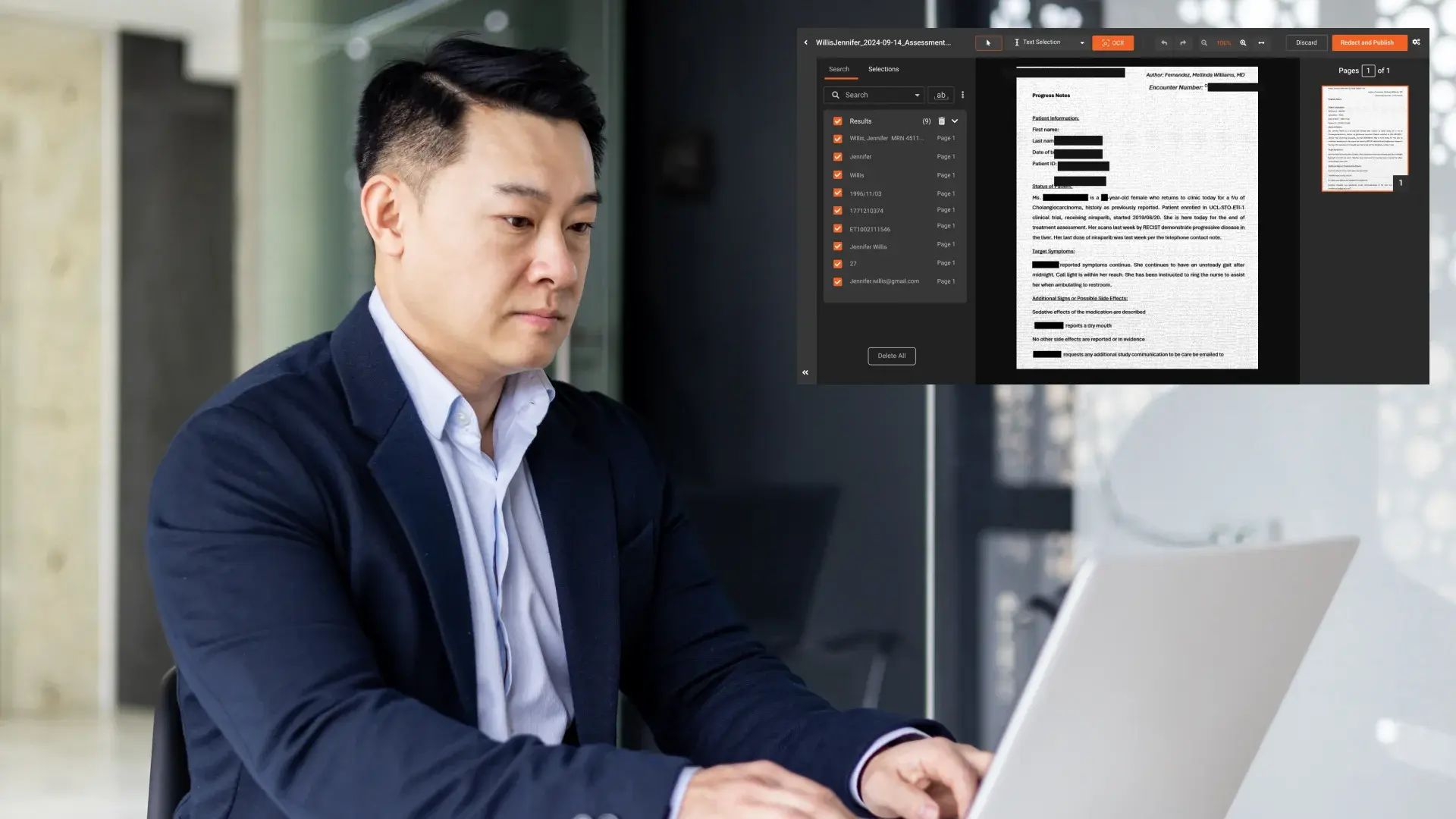
Bank statements are one of the most frequently shared financial documents. They contain highly sensitive personal and banking information, and if shared without proper protection, they can expose organizations to fraud, identity theft, and compliance risks.
Whether bank statements are shared for loan processing, audits, customer verification, or internal analysis, proper redaction is essential to protect sensitive data while keeping the document usable.
This guide explains how to redact bank statements securely, the different methods available, what information must be hidden, what should remain visible, and how to redact scanned bank statements at scale.
What Is a Redacted Bank Statement?
A redacted bank statement is a version of the original document where sensitive information is permanently removed before the document is shared.
True redaction ensures the hidden information cannot be recovered, copied, or exposed through metadata or file layers. This is different from simply covering or editing text, which can leave sensitive data exposed.
Redacted bank statements are commonly required for:
- Loan and mortgage applications
- KYC and AML verification
- Vendor and auditor reviews
- Legal and compliance investigations
- Secure internal data sharing
Ways to Redact Bank Statements
There are multiple ways to redact bank statements, but not all methods provide the same level of security, accuracy, or scalability. Choosing the right approach depends on document volume, format, and compliance requirements.
Manual Redaction
Manual redaction involves reviewing a bank statement line by line and removing sensitive information using basic tools.
This method typically includes:
- Printing and physically blacking out sensitive fields
- Using basic image editing tools to cover information
- Manually reviewing each page before sharing
Limitations of manual redaction:
- Time-consuming and difficult to scale
- High risk of human error
- Not suitable for large document volumes
- Limited auditability
Manual redaction may work for one-off tasks, but it does not align with financial document redaction best practices.
Redacting Bank Statements Using PDF Editors
Many users rely on PDF editors to redact bank statements digitally.
This method usually involves:
- Selecting text manually and applying redaction marks
- Using built in redact features in PDF software
- Saving a redacted copy for sharing
Limitations of PDF editor redaction:
- Often ineffective for scanned or image-based bank statements
- Requires manual selection of each sensitive field
- Inconsistent results across different document layouts
- Risk of exposing data if redaction is not applied correctly
While PDF editors can help with simple files, they are not ideal for organizations handling multiple financial documents regularly.
Using Dedicated Redaction Software
Dedicated redaction software is designed specifically to detect and remove sensitive data from bank statements securely.
These tools typically offer:
- Automated detection of personal and financial data
- Pattern-based identification of account and routing numbers
- OCR-powered redaction for scanned bank statements
- Permanent removal of underlying data
- Support for bulk redaction and review workflows
Dedicated tools align best with redacting financial documents securely and are recommended for compliance-driven environments.
What Information Should Be Redacted on Bank Statements?
Redacting too little increases risk, while redacting too much can reduce the usefulness of the document. The goal is to protect sensitive data while preserving essential context.
Information that should always be redacted
- Full bank account numbers
- Routing numbers, including ABA, IBAN, and SWIFT
- Debit and credit card numbers
- Customer contact details such as addresses, phone numbers, and email addresses
- Transaction reference numbers and internal identifiers
- Handwritten or digital signatures
Redacting Scanned Bank Statements
Many bank statements are shared as scanned PDFs or images. In these cases, sensitive information exists inside images rather than selectable text.
Traditional PDF tools cannot reliably detect or remove this data, which increases the risk of exposure.
OCR based redaction enables organizations to:
- Extract text from scanned documents
- Identify sensitive financial data
- Apply permanent redaction accurately
This approach follows recommendations in the financial document redaction guide.
Redaction vs Editing Bank Statements
One of the most common mistakes is using visual editing tools to cover sensitive information.
Editing or blacking out text can:
- Leave the underlying data accessible
- Allow information to be recovered through copy and paste
- Expose sensitive metadata
True redaction permanently removes the data and ensures it cannot be recovered. For bank statements, only redaction should be used.
How to Redact Bank Statements at Scale
Define standardized redaction rules
Organizations should clearly document:
- What fields must always be redacted
- What information can remain visible
- When conditional redaction is required
This ensures consistency across all financial documents.
Use automated detection
Effective redaction tools should support:
- Pattern-based detection for account and routing numbers
- AI-driven identification of personal data
- OCR for scanned bank statements
Automation reduces reliance on manual review and lowers error rates.
Support bulk processing
When handling large volumes of bank statements, organizations need the ability to:
- Redact documents in batches
- Apply consistent policies across files
- Meet strict turnaround deadlines
Maintain audit readiness
Redaction workflows should provide:
- Records of who performed redaction
- Time-stamped actions
- Repeatable and defensible processes
These controls support broader financial document redaction best practices.
Who Should Redact Bank Statements?
This guide is relevant for:
- Banks and credit unions
- Fintech companies
- Mortgage lenders
- BPOs handling financial records
- Compliance and risk teams
- Legal and audit departments
How VIDIZMO Redactor Helps Redact Bank Statements Securely and at Scale
Redacting bank statements requires more than basic PDF tools. Financial teams need accuracy, consistency, and the ability to handle scanned documents and high volumes without increasing compliance risk.
VIDIZMO Redactor is designed specifically for regulated environments where bank statements must be redacted securely before being shared with third parties or internal teams.
VIDIZMO Redactor helps organizations redact bank statements by enabling:
- Automated detection of sensitive financial data such as bank account numbers, routing numbers, transaction references, and customer identifiers
- OCR based redaction that accurately detects and removes sensitive information from scanned and image-based bank statements
- Pattern-based redaction for structured financial identifiers, including IBAN, SWIFT, and custom account number formats
- Bulk redaction workflows that allow teams to redact hundreds or thousands of bank statements consistently
- Permanent redaction that completely removes underlying data rather than masking it visually
- Policy-driven redaction to ensure the same fields are redacted across all bank statements
- Audit-ready workflows that support compliance, internal reviews, and regulatory requests
By combining automation with governance controls, VIDIZMO Redactor reduces manual effort, lowers the risk of missed sensitive data, and ensures bank statements can be shared safely and confidently.
Bank statements are one part of a broader content ecosystem covered in our guide to redaction software for financial services, where organizations can apply the same redaction standards across all financial records.
Ready to redact bank statements securely without manual effort?
Start a free trial of VIDIZMO Redactor and see how automated, OCR-powered redaction can help you protect sensitive financial data while meeting compliance requirements.

Final Thoughts
Bank statements are often required for legitimate business processes, but they should never be shared without proper protection.
Secure redaction:
- Reduces fraud and data breach risk
- Protects customer privacy
- Supports compliance efforts
- Enables safe collaboration
For a complete framework covering all record types, see our guide to redaction software for financial services.
FAQ
Frequently Asked Questions
Is VIDIZMO Redactor suitable for redacting bank statements at scale?
Yes, VIDIZMO Redactor is suitable for redacting bank statements at scale because it supports bulk redaction, pattern-based detection for financial identifiers, and consistent policy-driven workflows designed for regulated environments.
How do I redact a bank statement securely before sharing it?
To redact a bank statement securely, you should permanently remove sensitive information such as account numbers, routing numbers, and personal details using a dedicated redaction tool rather than simply editing or masking text.
What information should be hidden on a bank statement?
Sensitive information that should be hidden includes full account numbers, routing numbers, transaction references, customer contact details, and signatures, while transaction dates and amounts can usually remain visible.
Can scanned bank statements be redacted accurately?
Yes, scanned bank statements can be redacted accurately using OCR-based redaction tools that extract text from images and permanently remove sensitive financial data.
Is using a PDF editor enough to redact bank statements?
PDF editors may work for simple text-based files, but they are often ineffective for scanned bank statements and do not scale well for large volumes or compliance-driven workflows.
What is the difference between redacting and editing a bank statement?
Redaction permanently removes sensitive data so it cannot be recovered, while editing or blacking out text may leave underlying data accessible and exposed.
How can organizations redact bank statements in bulk?
Organizations can redact bank statements in bulk by using VIDIZMO redaction software that supports batch processing, pattern-based detection, and consistent policy enforcement.
What is the safest way to share bank statements with third parties?
The safest way to share bank statements is to redact all sensitive financial and personal information using an enterprise-grade redaction tool before sharing the document.
TopicsRedaction
About the author
Zain Noor is a Product Marketing Executive at VIDIZMO with expertise in AI redaction technology. He focuses on how public safety agencies, government bodies, and commercial organizations adopt and operationalize video intelligence at scale.
You may also like

Video Redaction Best Practices: Motion, Frame Rates, Tracking and Failing Safe
I led our video redaction project for a county public safety agency where two people handled every disclosure, and ...

Redacting Dash Cam, Body Cam and Drone Footage From a Moving Camera
A fleet claims manager preparing crash footage for an insurer and defense counsel is doing a different job from a ...

Why Frame-Rate Headers Lie: Redacting Variable Frame Rate Video
A video file keeps time frame by frame, and the frames-per-second figure a player displays is a summary of that timing, ...