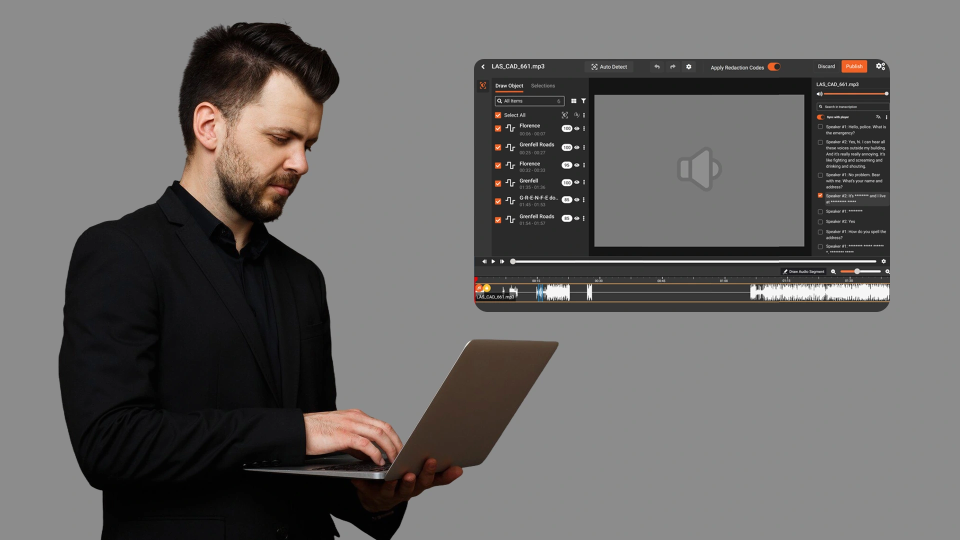
Every usability test captures more than user behavior. When participants navigate live websites, fill out forms, or interact with dashboards, their screens reveal email addresses, home addresses, payment details, government IDs, and account numbers, all recorded in high definition and stored alongside research data.
For UX research teams and digital insights firms, this creates a privacy problem that scales with every study. The more recordings you collect, the more personally identifiable information (PII) sits in your archives, exposed to analysts, clients, and anyone with access to the research repository.
Manually scrubbing PII from screen recordings frame by frame is not practical at research volume. This post explains how AI-powered detection, combining OCR and named entity recognition (NER), can automatically identify and redact PII from screen recordings before they are stored, shared, or analyzed.
Why Usability Recordings Are a PII Liability
Usability testing and UX research recordings differ from typical surveillance or body camera footage in one critical way: the sensitive data is embedded in on-screen content, not just in faces or voices.
A single usability session might capture:
- Form field entries: names, email addresses, phone numbers, and physical addresses typed into registration or checkout forms
- Account dashboards: banking balances, policy numbers, patient IDs, or subscription details visible on screen
- Autofill data: browser-stored credentials and payment information that populate automatically
- Document content: PDFs, spreadsheets, or email inboxes open in the background during the session
- URL bars and tabs: email addresses embedded in URLs, session tokens, or internal system identifiers
Research teams often share these recordings with clients, stakeholders, and external analysts, and each handoff expands the exposure surface for unprotected PII.
Under regulations like GDPR, CCPA, and HIPAA, storing or sharing recordings containing unredacted personal data without proper consent or safeguards can trigger compliance violations, fines, and reputational damage.
What Gets Captured That Most Teams Miss
Teams typically think of PII as names and email addresses. In usability recordings, the exposure is broader:
-3.png?width=1077&height=677&name=image%20(4)-3.png)
This data appears in text rendered on screen, not as spoken words or physical objects. Detecting it requires technology that can read and interpret on-screen text in recorded video frames. To understand how this fits into a broader PII redaction strategy across video, audio, and documents, it helps to first see how the core detection technology works.
How AI-Powered Detection Works on Screen Content
Redacting PII from screen recordings requires two AI capabilities working together: optical character recognition (OCR) and named entity recognition (NER).
Step 1: OCR Extracts On-Screen Text
OCR scans each video frame and converts visible text, whether in form fields, dashboards, email clients, or browser tabs, into machine-readable data. Modern OCR engines handle varying fonts, sizes, and screen layouts, including text in tables, sidebars, and overlapping UI elements.
Step 2: NER Classifies Extracted Text
Once OCR extracts the raw text, NER models analyze it to identify specific PII entity types: email addresses, phone numbers, credit card numbers, Social Security numbers, physical addresses, and more. NER uses contextual patterns, not just keyword matching, to distinguish between a random string of digits and an actual account number.
Step 3: Automated Redaction Applies
Detected PII entities are mapped back to their pixel coordinates in the video frame. The system applies redaction, blur, pixelation, or black box, over those regions across all frames where the PII appears.
VIDIZMO Redactor supports 40+ PII entity types across video, audio, and documents, with configurable confidence thresholds that let teams control how aggressively the AI flags potential matches. Research teams can set higher confidence levels to avoid over-redaction of non-sensitive text while still catching genuine PII.
For a broader look at how automated redaction works across different content types, see our guide on automated redaction software.
Selective Entity Redaction for Research Workflows
Not every piece of PII in a usability recording needs redaction. A research team studying checkout flows might need to preserve product names and prices while redacting only credit card numbers and billing addresses.
AI-powered redaction platforms allow teams to select which entity types to redact:
- Redact email addresses and phone numbers while keeping on-screen navigation text intact
- Redact financial data (card numbers, account balances) while preserving UI labels and product information
- Redact government IDs (SSNs, passport numbers) without affecting other on-screen content
This selective approach preserves the analytical value of recordings. Participants' navigation paths, interaction patterns, and UI feedback remain visible, while eliminating the compliance risk of exposed personal data.
Bulk Processing for Research Teams at Scale
Research operations generating dozens or hundreds of recordings per study cannot rely on manual review. Bulk processing capabilities let teams queue entire study libraries for automated redaction.
Key workflow considerations for research teams:
- Batch upload: Upload all session recordings from a study and apply a single redaction policy across the batch
- Policy templates: Define reusable redaction rules (e.g., "redact emails, phone numbers, and financial data") that apply consistently across studies
- Automated processing: Queue recordings for overnight or off-hours processing so redacted versions are ready for analyst review the next morning
- Original preservation: Maintain unredacted originals in a restricted-access archive for compliance audit purposes, while distributing only redacted copies to analysts and clients
If your team is evaluating whether to automate in-house or outsource redaction workflows entirely, our guide on document redaction services covers both approaches in detail.
Ready to Redact PII from Your Research Recordings?
See how VIDIZMO Redactor automates screen recording redaction so your team stays compliant without slowing down. Contact us to schedule a demo.

GDPR Compliance and Usability Research
GDPR requires a lawful basis for processing personal data, and consent given for participation in a usability study does not automatically extend to storing or sharing the PII that appears on screen during the session.
Key GDPR considerations for research recordings:
- Data minimization: Redacting PII before storage aligns with GDPR's principle that organizations should process only the minimum personal data necessary for the stated purpose
- Purpose limitation: Recordings collected for UX research should not become a secondary source of personal data accessible beyond the research team
- Right to erasure: If a participant requests deletion of their data, redacted recordings are easier to manage than searching through raw footage for every instance of their PII
- Audit trails: Documenting what was redacted, when, and by what rules provides defensibility if a data protection authority audits your research data practices
Automated redaction applied at the point of ingestion, before recordings enter the research repository, is the most effective way to meet these requirements without creating operational bottlenecks. For a deeper look at how AI redaction supports compliance across industries, see how AI redaction transforms data privacy.
Key Takeaways
- Usability test recordings capture PII embedded in on-screen content, including form entries, dashboards, autofill data, and background documents, creating compliance exposure at scale
- AI-powered detection combines OCR (to read screen text) with NER (to classify PII entity types) for automated identification without manual review
- Selective entity redaction preserves the analytical value of recordings by redacting only the PII categories that create compliance risk
- Bulk processing and policy templates enable research teams to redact at the pace they record, with overnight queue-based automation
- Applying redaction at the point of ingestion, before recordings enter the repository, is the most effective approach for GDPR, CCPA, and HIPAA compliance
Protect Research Data Without Slowing Down Your Team
PII in usability recordings is not a hypothetical risk. It is a structural feature of how screen-based research works. Every session captures real personal data, and every unredacted recording in your archive is a compliance liability.
AI-powered redaction eliminates the manual burden of frame-by-frame review while giving research teams precise control over what gets redacted and what stays visible for analysis.
FAQ
Frequently Asked Questions
Can AI detect PII in screen recordings automatically?
Yes. AI combines OCR to read on-screen text with NER to classify detected text into PII categories like emails, phone numbers, and financial data. This enables automated detection without manual frame-by-frame review.
What types of PII appear in usability test recordings?
Usability recordings commonly capture names, email addresses, phone numbers, credit card numbers, mailing addresses, government IDs, passwords, and health information, any data visible on the participant's screen during the session.
Is consent enough to store unredacted usability recordings?
Under GDPR, consent for study participation does not automatically cover storing all PII captured on screen. Data minimization principles require organizations to limit the personal data they retain to what is necessary for the research purpose.
How long does automated screen recording redaction take?
Processing time depends on recording length and the number of entity types selected for redaction. Bulk processing with queue-based automation allows overnight processing of entire study libraries.
Can I redact specific PII types while keeping other text visible?
Yes. Selective entity redaction lets you choose which PII categories to redact, such as financial data and government IDs, while preserving non-sensitive on-screen content like UI labels and navigation elements.
Does redaction affect the usability of research recordings?
When configured correctly, redaction removes only the PII entities selected while keeping interaction patterns, navigation flows, and UI feedback fully visible for analysis.
TopicsRedactionVideo Redaction

About the author
Ali Rind is a Product Marketing Executive at VIDIZMO, where he focuses on digital evidence management, AI redaction, and enterprise video technology. He closely follows how law enforcement agencies, public safety organizations, and government bodies manage and act on video evidence, translating those insights into clear, practical content. Ali writes across Digital Evidence Management System, Redactor, and Intelligence Hub products, covering everything from compliance challenges to real-world deployment across federal, state, and commercial markets.
You may also like

Video Redaction Best Practices: Motion, Frame Rates, Tracking and Failing Safe
I led our video redaction project for a county public safety agency where two people handled every disclosure, and ...

Redacting Dash Cam, Body Cam and Drone Footage From a Moving Camera
A fleet claims manager preparing crash footage for an insurer and defense counsel is doing a different job from a ...

Why Frame-Rate Headers Lie: Redacting Variable Frame Rate Video
A video file keeps time frame by frame, and the frames-per-second figure a player displays is a summary of that timing, ...