
by Ali Rind, Last updated: August 8, 2026
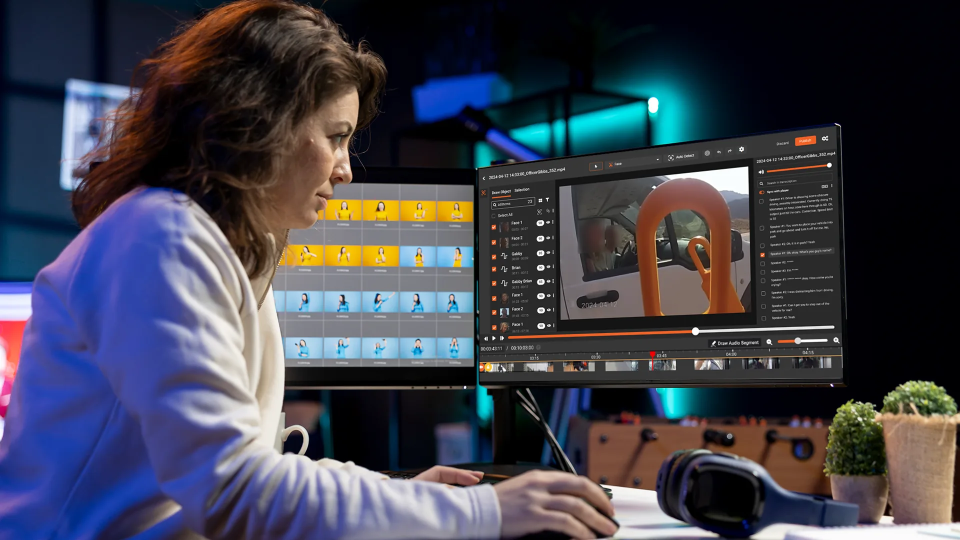
The best SaaS marketing videos come from real product recordings. Not polished explainer animations with placeholder data. Not staged demos with fake accounts. Real walkthroughs of live product environments, showing actual workflows with actual interface elements. Buyers can tell the difference, and they trust what looks real.
The problem is that real product recordings contain real data. The CRM screen shows a client's company name. The dashboard has live revenue figures. The support queue has customer email addresses in it. The document panel has a file with someone's personal information open in the background. None of that can go out in a marketing video.
Most teams solve this one of two ways: they rebuild the demo from scratch using fake data, or they do a manual editing pass and hope they caught everything. Both are slow. Both have failure modes. There is a better workflow.
Why Real Recordings Outperform Scripted Demos
Scripted demos with placeholder data have a tell. The data is too clean. "John Doe" and "Acme Corp" and round-number revenue figures do not look like a real product in use. Buyers who are evaluating your tool have seen dozens of demo videos. They recognize the pattern.
Real recordings show the product doing actual work. The interface has the slight imperfections of live use. The data reflects realistic variety. The workflow flows naturally because it was done for a real purpose. That authenticity builds trust in a way that scripted content does not.
The practical implication is that teams recording real product environments for marketing use are sitting on better content than teams producing scripted demos. They just need a reliable way to remove the client data before the recording goes out.
The Hidden Problem: What Client Data Looks Like on Screen
The data exposure in a typical SaaS product recording is broader than most marketing teams account for. The obvious instances are easy to spot. The non-obvious ones are not.
Obvious instances:
- A client's company name in the account switcher or top navigation
- A customer's full name and email address in a contact record
- A specific dollar figure tied to a named account
Easy-to-miss instances:
- Client names embedded in tab titles or browser URL bars
- Reference numbers and case IDs that are not personally identifying but are client-specific and confidential
- A file open in a side panel with readable text in it
- Auto-populated dropdown suggestions showing real account names as someone types
- Notification badges or activity feeds showing recent client actions
A single 10-minute product walkthrough can contain 30 to 50 frames with some form of client-identifying content. Manual editing catches the obvious ones. Systematic redaction catches all of them. To understand the full scope of how document and screen content gets exposed in recordings, the guide on document and screen redaction in video covers this in more detail.
This Is Not a Compliance Problem. It Is a Confidentiality One.
It is worth being direct about the framing here. Marketing teams that record and publish product demos do not need a compliance officer to tell them client data should not appear in public-facing videos. The obligation is straightforward: you recorded in a client environment, that client's data is yours to protect, and sharing it without authorization is a breach of the trust your clients extended to you.
That is true for a SaaS startup with 50 customers and no formal privacy program. It is also true for an enterprise software company subject to data processing agreements.
The compliance angle is real but secondary. The first reason to redact is that it is the right thing to do with data that belongs to your clients.
What Redaction Looks Like in a Marketing Context
Redaction in a law enforcement or compliance context tends to be conservative. Redact everything that could be sensitive, prioritize completeness over aesthetics, and document every decision. Marketing redaction has different priorities.
In a marketing context, the redacted recording still needs to be usable. It needs to show the product clearly. The redactions should not be so heavy that they obscure the interface or make the workflow hard to follow.
The right approach is targeted precision: redact the specific text and data that belongs to clients, leave everything else visible, and produce a clean output that can go directly into the marketing workflow.
VIDIZMO Redactor supports blur, pixelate, and black box redaction styles. For marketing videos, blur or pixelate tends to look more natural than a hard black box, and the choice can be applied selectively by content type. You can explore the full range of capabilities on the video redaction software page.
How to Set Up a Repeatable Workflow
A one-time redaction is a task. A repeatable workflow is an asset. If your team records product walkthroughs regularly, the goal is a process that handles every recording with minimal manual intervention. Teams producing multiple recordings benefit especially from a structured, repeatable approach, which is covered in depth in the post on batch video redaction for teams.
Step 1: Record normally. Do not change how you record. Use real environments, real data, real workflows. The redaction happens after the fact.
Step 2: Upload to VIDIZMO Redactor. Individual files or batches. The desktop app supports watch folder monitoring, so recordings dropped into a folder are picked up automatically.
Step 3: Apply a template. Configure a redaction template for your product's interface once. It captures the PII types, custom identifier patterns, and any specific redaction rules relevant to your application. Apply the same template to every recording of that type.
Step 4: Review the output. The split-screen comparison view shows the original and redacted versions side by side. A single pass confirms coverage without requiring a full manual review of every frame.
Step 5: Export and publish. The redacted file is a separate output. The original is preserved. The redacted version goes into your content workflow.
This process adds 10 to 15 minutes per recording for review. The AI detection and redaction runs unattended.
Stop rebuilding demos from scratch. Record in your real product environment, redact the client data, and publish. Contact us or Start a free trial today.

Examples by Vertical
The specific data types that need redaction vary by the type of SaaS product being recorded.
Proptech: Property management and real estate platforms show parcel numbers, owner names, property addresses, and assessed values. These are specific to individual properties and owners and should not appear in marketing content.
Fintech: Financial software captures account numbers, routing numbers, balance figures, and transaction histories tied to specific clients. Even anonymized-looking figures can be traced back to accounts if the context is visible. VIDIZMO Redactor's finance redaction capabilities are built to handle exactly this type of sensitive data.
Legal tech: Case management and contract platforms display client names, case references, matter numbers, and document titles. These are often explicitly covered by client confidentiality obligations. More on how redaction applies in this context is available on the legal redaction page.
HR tech: Human capital management tools show employee names, compensation data, performance records, and personal information. Recording in a real HR environment almost always captures protected employee data.
In each case, the redaction template is configured once for the product type, and the same template handles every recording in that category.
Key Takeaways
- Real product demos outperform scripted ones, but they require redaction before the recording can be shared or published
- Client data in screen recordings includes obvious identifiers and easy-to-miss elements like URL bars, tab titles, dropdowns, and background documents
- This is a confidentiality obligation, not a compliance requirement. Client data belongs to the client regardless of your regulatory context
- A repeatable redaction workflow processes each recording with minimal manual effort once the template is configured
- VIDIZMO Redactor preserves the original and exports a separate redacted copy, keeping originals intact for internal use
About the Author

Jump to
.jpg)
Why Healthcare SaaS Companies Need Video Redaction
How to Redact PII from Corporate Training Videos

No Comments Yet
Let us know what you think