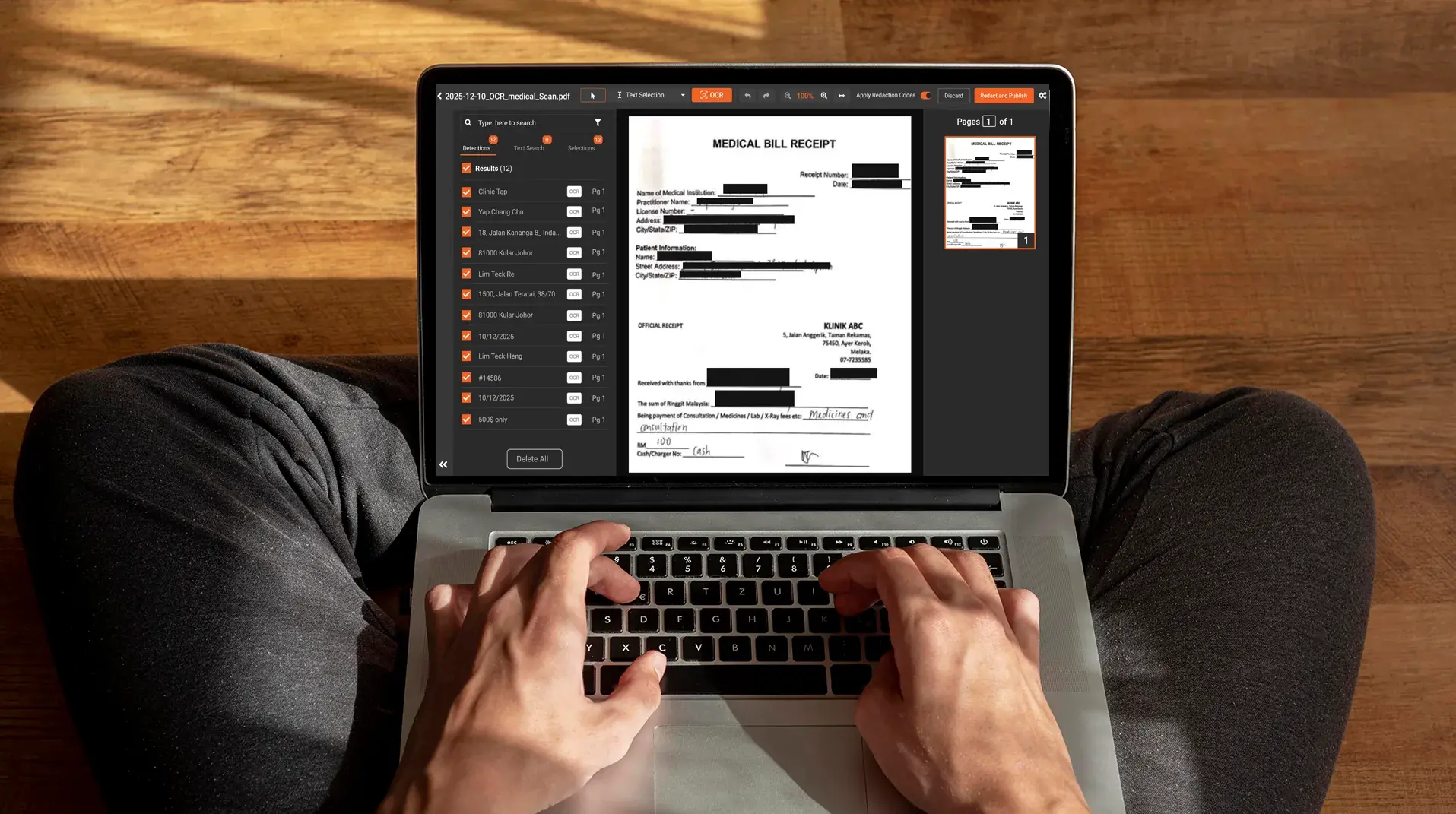
A trainer records a 30-minute walkthrough of an internal system. They scroll through a customer list, expand a record panel, page through transaction history. Sensitive data slides across the screen continuously. They open Camtasia, draw a redaction box on the first name. Within two frames, the name has scrolled past the box. The box covers empty space, and the original data is visible above it.
That's the scrolling text problem in screen recording redaction. Static redaction boxes work on static content, the kind covered by redacting confidential text from screen recordings. The moment the underlying UI moves, manual redaction breaks. This post covers why static boxes fail on dynamic content, how AI auto-tracking solves it, which industries need it most, and what to look for in a redaction tool built for moving on-screen text.
Why manual redaction fails on scrolling screen recordings
The failure modes show up wherever dynamic UI is involved:
- Scrolling lists and tables. Patient queues, transaction histories, ticket queues, A/R aging reports. Content moves continuously; the redaction box stays put.
- Expanding and collapsing record panels. Click a row, a panel opens. Click again, it collapses. The sensitive content shifts position frame by frame.
- Page transitions and pagination. Click "next" and the screen redraws. Boxes drawn on the previous page now cover empty space on a different page.
- Picture-in-picture overlays. A webcam thumbnail or chat window moves around the screen, sometimes hiding sensitive data, sometimes revealing it.
- Animation, tooltips, and hover states. Sensitive data appears on hover, then disappears. A static box can't anticipate it.
- Modal dialogs and popups. A dialog opens above the main content, contains PHI or PII, then closes. Manual redaction has to chase it.
A 30-minute recording at 30 frames per second is 54,000 frames. If sensitive content moves across the screen for even a few minutes, a manual reviewer is drawing and adjusting thousands of redaction boxes by hand. The result is either an incomplete redaction or a project that takes days per video. Neither is workable.
How AI auto-tracking works in video redaction
Auto-tracking is the feature that solves the dynamic content problem.
It starts with detection. The AI identifies a target in one or more frames, using OCR for text and computer vision for faces, license plates, or objects. The system finds the sensitive content and marks where it is in the frame.
Then tracking takes over. Once a target is detected, the system follows it across subsequent frames using motion estimation. As the text scrolls or the panel expands, the redaction follows it. The box is bound to the content, not to the frame.
When a target leaves the frame and returns later, the system re-detects and resumes redaction. A patient name that scrolls off screen and reappears on a later page is caught again automatically.
The other tuning lever is detection frequency. Most platforms run detection every 15 frames by default and interpolate between detections. For fast-moving content, the frame-forward count can be lowered to every 5 frames or every frame, with more processing time as the trade-off. That's how the same platform handles both a slow EHR scroll and a rapid pagination through claim history.
Where confidence drops, the system flags the frame for human review rather than missing the redaction silently. This is the practical difference between a redaction platform built for video and a video editor with redaction features bolted on.
Industries that need auto-tracking for screen recording redaction
The scrolling-content problem shows up wherever regulated industries record software walkthroughs that contain live data. The specifics vary, but the underlying mechanic is the same.
Auto-tracking for healthcare screen recordings
Healthcare training and audit recordings capture EHR walkthroughs in Epic, Cerner, Meditech, and Athena, plus claims and billing system tours, patient portal demos, and telehealth onboarding. PHI scrolls through record headers, claim lists, denial workflows, and A/R aging reports.
The HIPAA minimum necessary standard applies to internal training the same way it applies to external disclosures. Exposure compounds across reuse: a training video sits in the LMS for over a year and gets watched by every new hire. The healthcare workflow is covered in more depth in PHI redaction in healthcare training videos, and the broader HIPAA framing in video redaction for healthcare. Without auto-tracking, the redaction breaks the moment the trainer scrolls.
Auto-tracking for financial services screen recordings
Banking platform training, fraud investigations, brokerage system walkthroughs, and lending operations recordings involve scrolling through customer accounts, transaction histories, and credit data. Account numbers, SSNs, balances, and payment details slide through tables continuously. PCI-DSS, GLBA, and SOX compliance require redaction before any external sharing or recorded training. Manual box-drawing is not a defensible workflow for a regulated financial institution producing weekly training content.
Auto-tracking for legal and eDiscovery screen recordings
Recorded depositions with screen-shared exhibits, internal case review recordings, and witness interview captures regularly include scrolling document viewers, paginated evidence lists, and dynamic exhibit overlays. Privileged information, party identities, and case-sensitive data slide across the screen. Federal Rule of Civil Procedure 5.2 requires redaction of personal identifiers in any filing, including video exhibits. ABA Model Rules add to the obligation.
Auto-tracking for government and FOIA screen recordings
Investigative screen captures, case management walkthroughs, and internal training on benefits or eligibility platforms produce scrolling content full of PII. FOIA exemption codes have to be applied consistently across records, and CJIS requirements apply to anything touching criminal justice information. Auto-tracking is what makes hitting a FOIA deadline realistic versus rolling redactions back across thousands of frames manually.
Auto-tracking for customer support and call center recordings
Screen-shared support sessions, agent training videos, and QA review recordings show customer PII, payment data, and account details scrolling through CRM and ticketing interfaces. PCI-DSS applies to any payment data captured. State privacy laws extend the obligation further. For a call center running QA on thousands of weekly recordings, manual redaction isn't viable. Auto-tracking combined with spoken PII redaction across the audio track is the only workable approach.
What to look for in a redaction tool with auto-tracking
The capabilities that distinguish a serious redaction platform from a basic video editor with redaction features:
- OCR-based text detection across video frames, not just face and object detection. Most sensitive data in screen recordings is text, not faces.
- Configurable detection frequency. Frame-forward count needs to be tunable based on how fast the content moves. Slow EHR scrolls and rapid claim pagination need different settings.
- Multi-class detection in a single pass. Text, faces, custom patterns like MRN or claim number formats, and objects all processed together rather than in separate runs.
- Adjustable confidence thresholds. Buyers should be able to balance recall and precision against their compliance posture.
- Manual override. Where AI misses or over-redacts, a human reviewer has to be able to adjust directly.
- Frame-by-frame preview before publish. Scrubbing through the redacted output to confirm no sensitive data bleeds above the box or shows up in a missed frame.
- Custom pattern definitions. For industry-specific identifiers like payer claim numbers, account ID formats, and internal case IDs that aren't in the default PII or PHI classes.
- Audit logs. Compliance reviews will ask what was redacted, by whom, when, and against what rule.
- Deployment options including on-premise. Healthcare, legal, and financial buyers often can't send original unredacted content to a SaaS environment.
How VIDIZMO Redactor handles auto-tracking in screen recordings
VIDIZMO Redactor uses AI OCR to detect text across video frames and applies auto-tracking to follow detected content as it scrolls or moves. Frame-forward count is configurable, so detection frequency can be tuned to the speed of the content. Custom patterns and context-word detection let teams define their own identifiers, including payer claim formats, MRN structures, and internal account IDs. An excluded-words feature supports selective redaction, so certain fields can stay visible when they're needed for educational or training context.
The redaction studio supports manual override for ambiguous frames, frame-by-frame preview before publishing, and a full audit log capturing every redaction decision. Deployment is available as SaaS, private cloud, on-premise, and air-gapped configurations to meet the data residency and security requirements of regulated industries.
To see how this works on your own content, see video redaction software or start a free trial.
Ready to handle scrolling content the right way?
Manual redaction is not a defensible workflow for any organization producing screen recordings at scale. Explore VIDIZMO Redactor for video or start a free trial to see auto-tracking work on your own content.

FAQ
Frequently Asked Questions
What is auto-tracking in video redaction software?
Auto-tracking is the feature that lets a redaction overlay follow a detected target across video frames. Once the AI detects a face, text region, or object in one frame, the system tracks it across subsequent frames so the redaction stays in place as the content scrolls or moves.
Why do scrolling screen recordings break manual redaction?
Manual redaction draws a static box at a fixed location on the video frame. When the underlying content scrolls or moves, the box stays put while the sensitive content slides past it. The result is a redaction box covering empty space while the original text is visible above or below.
Can AI redact text in fast-scrolling videos?
Yes, with configurable detection frequency. Most redaction platforms detect text every 15 frames by default and interpolate between detections. For faster-scrolling content, detection can be set to every frame or every 5 frames, at the cost of additional processing time.
What happens when the AI misses a frame?
Most platforms flag low-confidence detections for human review rather than silently missing them. The redaction studio surfaces ambiguous frames so a reviewer can confirm, adjust, or add manual redactions before the file is published.
Is auto-tracking enough, or do I still need manual review?
Auto-tracking handles the bulk of detection and redaction automatically, but manual review is recommended for compliance-critical content. Most platforms support a semi-automated workflow where AI runs the first pass and a reviewer confirms or adjusts the output before final publication.
TopicsRedactionVideo Redaction

About the author
Ali Rind is a Product Marketing Executive at VIDIZMO, where he focuses on digital evidence management, AI redaction, and enterprise video technology. He closely follows how law enforcement agencies, public safety organizations, and government bodies manage and act on video evidence, translating those insights into clear, practical content. Ali writes across Digital Evidence Management System, Redactor, and Intelligence Hub products, covering everything from compliance challenges to real-world deployment across federal, state, and commercial markets.
You may also like

Video Redaction Best Practices: Motion, Frame Rates, Tracking and Failing Safe
I led our video redaction project for a county public safety agency where two people handled every disclosure, and ...

Redacting Dash Cam, Body Cam and Drone Footage From a Moving Camera
A fleet claims manager preparing crash footage for an insurer and defense counsel is doing a different job from a ...

Why Frame-Rate Headers Lie: Redacting Variable Frame Rate Video
A video file keeps time frame by frame, and the frames-per-second figure a player displays is a summary of that timing, ...