A records officer at a county agency receives a public records request for two years of correspondence between three department heads. The responsive set comes back from the email system at 4,800 messages with 2,100 attachments. The statutory response window is 20 business days. The records officer is the only person assigned to redaction work and has other open requests already in progress.
A discovery production at a small law firm runs similar math. Plaintiff's counsel requests all email correspondence touching the matter; the responsive set after privilege review comes in at 3,200 messages. The paralegal handling production needs the redacted set delivered before depositions begin in three weeks.
Both cases share the same operational problem. Manual redaction of single emails is workable. Manual redaction of thousands is not. The deadline does not move, the staffing does not scale, and the cost of inconsistent redaction across the batch shows up later as a motion to compel re-production or an appeal of the FOIA response. This guide covers the workflow that fits volume work, what defensibility looks like at this scale, how attachments factor in, and the threshold where automation pays off.
Why bulk email redaction breaks manual workflows
A request that returns 50 emails can be handled in a day or two of careful manual work. A request that returns 5,000 cannot. The arithmetic is unforgiving.
A skilled reviewer working through a typical email (header, body, signature, one to two attachments) can complete careful redaction in five to ten minutes per item with manual tooling. Across 5,000 items, that is 400 to 800 hours of reviewer time, or a quarter to half a person-year on a single request. Most records offices and small legal teams do not have that capacity available. The work either drags past the statutory window or gets done too quickly, with the consistency failures that surface in appeals.
Defensibility compounds the problem. A response delivered after the deadline draws an appeal on procedural grounds. A response delivered on time but with inconsistent redaction across the batch (same identifier redacted in some emails, missed in others) draws an appeal on substantive grounds. Either appeal can require a re-production, which doubles the work and undermines the agency's credibility on subsequent requests.
The structural answer is automation plus reviewer approval. The reviewer's time goes to judgment calls (which exemptions apply, which content is privileged, which detections need manual override) rather than to the mechanical detection work that AI handles consistently.
Common email redaction mistakes at scale
The same failures that show up in single-email redaction get worse at batch scale.
Visual black boxes that do not remove the underlying text
A reviewer working in a general-purpose PDF tool draws a black box over a name and saves the file. The recipient copies the text from the supposedly redacted area and recovers the original content. At single-file scale, this is a known failure pattern that careful operators avoid by using the dedicated redaction tool. At batch scale, the chance of even one operator making the wrong choice on even one file rises with volume. One file with recoverable text in a 4,800-file production is the file the requester finds.
Inconsistency across the set
The same identifier (a name, an account number, a date of birth) appearing across many emails has to be treated identically across the batch. Manual reviewers, working through files over days or weeks, drift in how they apply rules. A name that gets redacted on Monday gets missed on Friday because attention faded or the reviewer interpreted the policy slightly differently. The inconsistency is what motions to compel are built on.
Missed attachments
The email body gets redacted; the attached PDF, scanned letter, or spreadsheet does not. Or the attachments are handled in a separate workflow with separate tooling and separate decisions, and the consistency between body and attachment is not maintained. At volume, this is one of the most common production failures.
No defensible audit trail
The reviewer's recollection of what they did across thousands of files is not an audit record. Without a per-file log of operator, timestamp, identifier category, and exemption basis, the response is hard to defend when challenged. The audit trail is the record of process; without it, the agency or firm has only the redacted output and an assertion that the work was done correctly.
How to redact emails in bulk: step-by-step workflow
The workflow runs in five steps and is the same regardless of whether the batch contains 50 emails or 5,000.
Export the responsive set from the email system
The standard approach is to save each message (with full thread context) as PDF, and to save each attachment in its original format alongside. For large exports, automated export tools or eDiscovery platforms produce the PDF set; the records officer does not have to print each one individually. The output of this step is a folder structure with one PDF per email and a parallel set of attachment files.
Batch ingest into the redaction platform
The full folder structure moves into the platform as a single batch. The platform treats each PDF and each attachment as an item in the batch, with the relationship between an email and its attachments preserved so the final output set maintains the mapping.
AI detection with consistent rules
The platform runs detection across every file in the batch using the same rule set: built-in PII categories (names, account numbers, dates of birth, addresses, financial identifiers, medical identifiers, country-specific identifiers), plus any custom regex and context-word patterns configured for the specific request type. Reusable redaction templates encode the rule set so the same configuration runs across every file in the batch and across future requests of the same type without rebuilding.
Review and approve
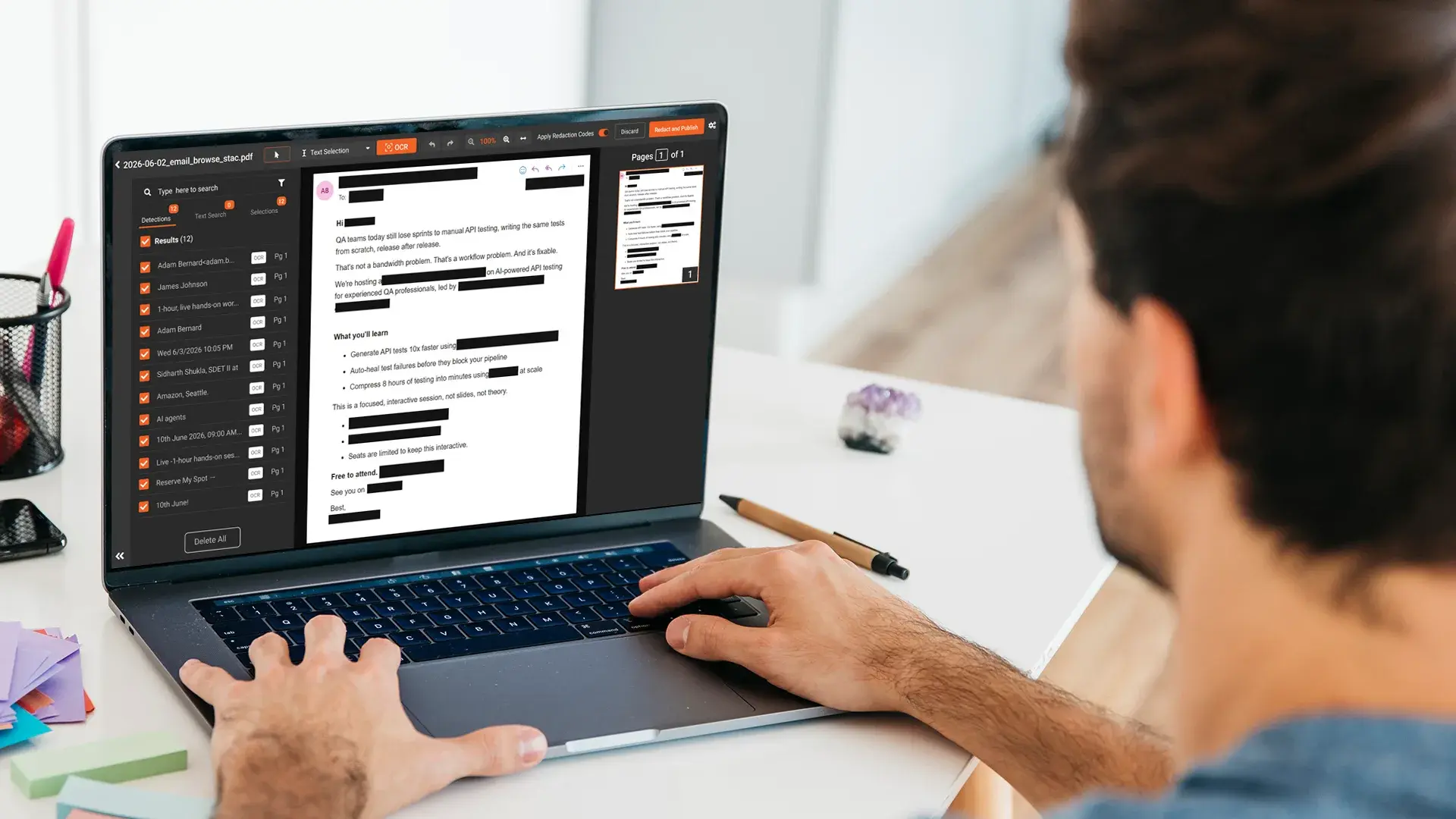
The reviewer works through the AI-flagged content rather than scanning every file manually. Confidence scores indicate which detections are high-certainty and which need closer review. The reviewer confirms catches, overrides false positives, and applies exemption codes per redaction. For batch work, the reviewer can apply approval at category and confidence-threshold levels (approve all high-confidence name detections in this batch, review only the lower-confidence detections individually) rather than per-item.
Output with per-file audit log
Each redacted file is produced as a separate output with a per-file audit log capturing every redaction action, the operator who approved it, the timestamp, and the exemption or basis attached to each redaction. The audit logs across the batch roll up into a production-level record that accompanies the response delivery.
Keeping redactions consistent and legally defensible
The defensibility argument at batch scale rests on two foundations: consistent rule application across the set, and per-redaction audit logging.
Consistent rule application means the same identifier type is redacted the same way across every file in the batch. The name Smith, redacted in email 17, is also redacted in email 432 and in email 4,791. This is what reusable redaction templates produce: the rule set is defined once and applied uniformly. The reviewer's judgment work is about which detections to confirm and which to override, not about which rules to apply on which day.
Per-redaction audit logging means every redaction action carries its own record: which file, which identifier category, which exemption or statutory basis, which operator, which timestamp. Stored in tamper-proof storage, this is the artifact that supports the response if it is challenged. A FOIA appeal to the AG or an open records commissioner that asks how the agency handled a specific redaction has a documented answer rather than a reviewer's recollection. A discovery motion that questions a specific privilege call has the same defensible record.
For deeper context on exemption codes and the per-redaction reason structure, the related guide on how to redact an email covers the underlying single-email workflow. For Outlook-specific behavior on export, see redacting emails in Outlook.
How to redact email attachments at scale
A typical email batch carries roughly one to two attachments per message at volume. A 5,000-email production may include 5,000 to 10,000 attachments, ranging from native-text PDFs to scanned documents, Word files, spreadsheets, and occasionally image or audio files.
The defensible pattern: each attachment is handled as its own item in the same batch as the message it belongs to. The redaction template applies to attachments the same way it applies to the email body, with format-specific handling where needed (OCR for scanned PDFs, ICR for handwritten content, native-text detection for Word and Excel files). The relationship between email and attachment is preserved in the output so the produced set delivers each message with its redacted attachments together.
The failure pattern to avoid is treating attachments as a separate workflow with separate tooling. Body redaction in one tool, attachment redaction in another, manual assembly of the final response. At single-email scale, this is survivable. At thousands of emails with thousands of attachments, the assembly step becomes its own bottleneck and produces consistency gaps between body and attachment treatment.
For broader bulk document context including attachments outside the email workflow, see bulk redaction software for PDFs.
When to use bulk email redaction software
The threshold sits at recurring volume or any meaningful audit scrutiny.
Under approximately fifty emails per month with low PII density, no scanned attachments, and no compliance scrutiny, manual review in a PDF editor is survivable. The audit gap is real but may be acceptable for low-stakes work.
Above that line, the math shifts. A FOIA office handling several requests a month, a county legal team running concurrent discovery responses, or a corporate legal ops team managing recurring regulator productions all hit the volume where manual review stops fitting inside reasonable timelines. Five to ten minutes per email times a 1,000-item batch is over 80 hours of reviewer time before any attachments. AI detection plus reviewer approval typically completes the same batch in a fraction of the time, with the audit log generated automatically as the work proceeds.
The cost framing that lands well in procurement is cost per response: a software seat that handles a year of FOIA work costs less than the labor saved on the first major batch. The risk-adjusted framing is harder to quantify but more compelling: one missed redaction in a published response can cost more in remediation, notification, and reputational consequences than several years of redaction software licensing.
How VIDIZMO Redactor handles batch email redaction
VIDIZMO Redactor handles bulk redaction across documents (including email exports as PDF and their attachments in PDF, Word, Excel, scanned PDFs through OCR, and other formats) with reusable redaction templates for recurring request types, consistent rule application across every file in the batch, and per-file audit logs in tamper-proof storage with operator, IP, timestamp, and action type per redaction.
The nine FOIA exemptions (Exemptions 1 through 9, plus state-specific codes) can be attached to each redaction as the basis for the response. Multi-format coverage in one workflow handles email PDFs and their attachments together rather than requiring separate tooling per format. Bulk processing has been tested at two million recordings, well beyond any single batch a records office or legal team typically handles.
The semi-automated workflow keeps a human reviewer in the loop for the approval and exemption-attachment work, which is what makes the response defensible under appeal.
Stop losing days to manual email redaction. See how VIDIZMO Redactor handles thousands of emails in one batch with consistent rules and a defensible audit trail.

FAQ
Frequently Asked Questions
How do I redact thousands of emails at once?
Export the responsive set as PDFs (each message plus attachments), ingest the full set as a single batch, and run AI detection with a reusable redaction template applied uniformly across every file. A reviewer then approves by category and confidence level rather than file by file. The template, not per-file judgment, is what keeps a large batch consistent and fast.
How do I keep redactions consistent across a large email batch?
Use reusable redaction templates so the same rule set applies to every file automatically. Define the identifier categories and custom patterns once, then run them across the entire batch. This prevents the common failure where a name is redacted in one email and missed in another, which is the inconsistency that motions to compel and FOIA appeals are built on.
How are email attachments handled when redacting in bulk?
Each attachment is treated as its own item in the same batch as the email it belongs to, with the relationship preserved in the output. The redaction template applies to attachments the same way it applies to the body, using OCR for scanned PDFs, ICR for handwriting, and native-text detection for Word and Excel. The redacted email and its attachments are delivered together.
How do I keep a defensible audit trail across thousands of files?
Use a platform that logs every redaction action with operator, timestamp, identifier category, and exemption basis, stored in tamper-proof storage. The per-file logs roll up into a production-level record that ships with your response. This documented process, not a reviewer's recollection, is what supports the response under a FOIA appeal or a discovery motion.
Can I reuse redaction rules across multiple requests?
Yes. Save the rule set for a request type (FOIA personnel records, civil discovery, regulator production) as a template and apply it to future requests without rebuilding it. Templates can be adjusted for request-specific variations, like added custom patterns or jurisdiction-specific exemption codes, while the core categories stay constant. This is what makes recurring high-volume work sustainable without adding headcount.
Is it safe to redact emails using cloud-based software?
It depends on your compliance requirements. Agencies handling law enforcement or privileged records often need on-premise or government cloud deployment so data never leaves their environment. Look for redaction software that offers both cloud and on-premise options, with controls like access restrictions, encryption, and tamper-proof audit logs, so the deployment model can match your security and regulatory obligations.
TopicsRedactionLegalDocument Redaction

About the author
Ali Rind is a Product Marketing Executive at VIDIZMO, where he focuses on digital evidence management, AI redaction, and enterprise video technology. He closely follows how law enforcement agencies, public safety organizations, and government bodies manage and act on video evidence, translating those insights into clear, practical content. Ali writes across Digital Evidence Management System, Redactor, and Intelligence Hub products, covering everything from compliance challenges to real-world deployment across federal, state, and commercial markets.
You may also like

Video Redaction Best Practices: Motion, Frame Rates, Tracking and Failing Safe
I led our video redaction project for a county public safety agency where two people handled every disclosure, and ...

Redacting Dash Cam, Body Cam and Drone Footage From a Moving Camera
A fleet claims manager preparing crash footage for an insurer and defense counsel is doing a different job from a ...

Why Frame-Rate Headers Lie: Redacting Variable Frame Rate Video
A video file keeps time frame by frame, and the frames-per-second figure a player displays is a summary of that timing, ...