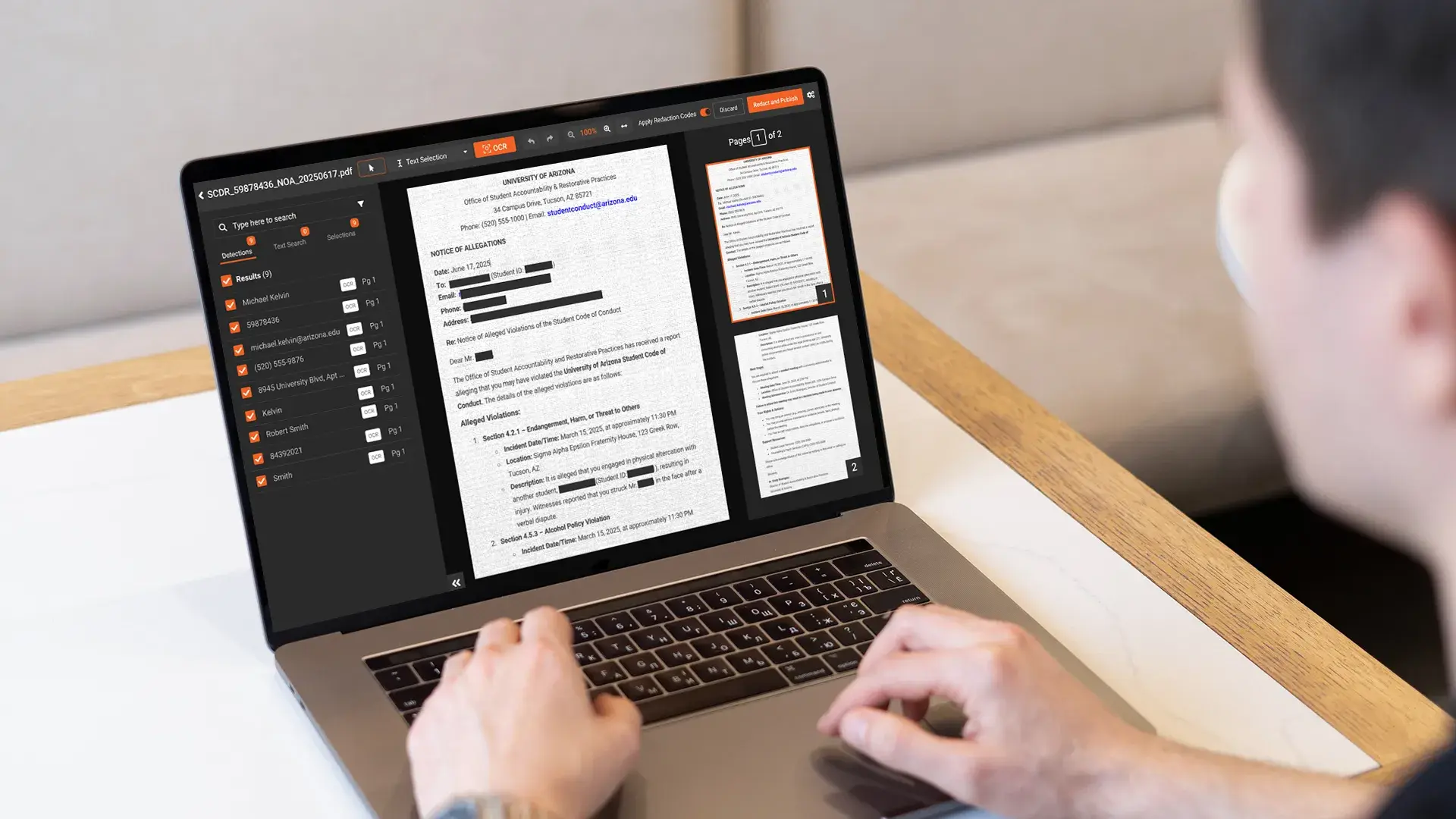
Generic PHI redaction guidance does not account for the way billing documents are structured. EOBs often bundle multiple patients on one printout. Claim forms are highly templated, with PHI in known box locations. Most EOBs and remits arrive scanned or faxed, which makes text-based redaction tools useless without OCR. Superbills carry handwritten provider notes that require ICR. The form anatomy matters because the redaction approach changes per document type.
This guide covers what's on each major billing form, what to redact and what to preserve, where scanned and handwritten content fits in, and the mistakes that show up most often when billing teams try to handle this work in a general-purpose PDF tool.
For the broader business associate compliance context covering BAA requirements, multi-tenant workflows, and offshore handling, see the HIPAA redaction guide for medical billing companies.
What's on each billing document and where the PHI sits
Each form type has its own anatomy, its own PHI density, and its own redaction approach.
EOB (Explanation of Benefits)
Payer-produced document explaining how a claim was processed. Contains patient name, member ID, date of birth, claim number, dates of service, CPT and ICD-10 codes, provider information, payer information, payment amounts, and patient responsibility. The operational catch: payer EOBs frequently list multiple claims for multiple patients on the same document. When a billing team works one claim on the EOB, the other patients' content is still present and has to come out before any external disclosure. The same multi-patient-bundling pattern appears throughout broader medical record redaction workflows and drives most of the consistency requirements.
ERA / 835 (Electronic Remittance Advice)
The EDI equivalent of an EOB. Structured machine-readable format rather than a PDF. Redaction approach is different because the source data is parseable. Most billing teams convert the 835 to a PDF for review, appeals, or sharing; the redaction step typically happens on the converted PDF rather than on the raw 835. Redaction can be applied to the structured data before conversion, which is the more defensible approach when the workflow allows it.
CMS-1500 (HCFA 1500)
The standard physician claim form, maintained by the National Uniform Claim Committee and used across Medicare and most commercial payers. Patient demographics appear in boxes 1 through 13 (name, address, DOB, insurance information, relationship to insured). Diagnosis codes go in box 21. Procedure codes, dates of service, and charges occupy box 24 with its multiple sub-fields. Provider information sits in boxes 25 through 33. The box layout is standardized, which makes template-aware detection effective.
UB-04 (CMS-1450)
The institutional claim form used by hospitals and facilities, maintained by the National Uniform Billing Committee. Different layout from the CMS-1500 but similar PHI density. Form locators 8 through 15 hold patient identifying information including name, address, DOB, and admission details. Form locator 67 holds the principal diagnosis. Procedure codes appear in form locators 74 and the surrounding fields. The form is denser than the CMS-1500 with more line items per claim.
Superbill / encounter form
What the provider sends to the billing company describing the encounter. Diagnoses, procedures, patient identifying information, and frequently handwritten notations and provider signatures. Often the original source document for PHI in the billing workflow, which means redaction of the superbill ripples through every downstream document derived from it.
Patient statement
Patient demographics plus financial detail. The PCI overlap concern shows up here: when patient statements include credit card numbers, payment methods, or bank account information for autopay setup, the redaction work has to cover PCI categories alongside PHI.
When billing teams actually need to redact each form
Each document type maps to specific business scenarios where redaction is required.
EOB excerpts in appeal packages, where the appeal addresses one claim but the source EOB contains other patients' content. The redacted EOB shows the relevant claim with the other claims removed.
CMS-1500 examples in new-hire training, where real examples teach better than synthetic ones, but the real examples must be de-identified before they go into the training library.
Sample superbills shared with prospective provider clients during sales. The prospect needs to understand the format and the data flow without seeing a current client's actual PHI.
Redacted patient statements submitted to a collection agency, where the limited BAA with the agency permits sharing the financial detail required for collection while restricting unrelated PHI.
ERA conversions shared with payer auditors focused on a specific claim. The auditor needs the remittance information for the audited claim; unrelated claims in the same ERA come out.
UB-04 forms in retrospective audit responses, where the audit covers a defined date range or service category and unrelated content needs to be removed from the response package.
Why scanned EOBs and faxed remits require OCR and ICR
Scanned and faxed documents have no searchable text layer. The text on the page exists as image pixels, which means pattern-based redaction tools cannot find anything until OCR (optical character recognition) extracts the text.
OCR is the prerequisite for text-level redaction of any scanned billing document. The redaction tool extracts the text from the scanned image, runs detection across the extracted text, and applies redaction at the pixel level of the source image. Without OCR, the only redaction option is manual drawing of black boxes over content a human reviewer identifies, which does not scale to billing volume.
Handwritten content adds another layer. Provider signatures, handwritten corrections on EOBs, handwritten patient names on superbills, and handwritten margin notes on claim forms cannot be read by standard OCR. ICR (intelligent character recognition) handles handwritten text. Tools that include OCR but not ICR miss the handwritten content entirely, which is one of the most common audit findings in billing-company redaction reviews.
For the technical detail on how OCR and ICR work inside a redaction workflow, see the OCR redaction feature page.
What gets redacted and what stays on a claim form
Redaction in billing workflows is not "black out everything sensitive." The minimum necessary standard at 45 CFR § 164.502(b) requires keeping the content the recipient actually needs and removing the content they do not. The judgment call differs by audience.
What typically stays in a billing-context release: the specific claim number that ties the document to the matter at hand, the dates of service relevant to the dispute or audit, CPT and ICD codes when they are central to the question being asked, provider NPI when the recipient needs to verify the rendering provider.
What typically gets redacted: other patients' information on multi-claim EOBs, full Social Security numbers, full dates of birth (year only if the recipient needs age context), member IDs when sharing externally, addresses, financial account and routing numbers, payer-internal identifiers not relevant to the recipient.
What depends on the audience: provider NPI (visible to the payer auditor, redacted from a public records release), payer information (typically stays for an audit response, may come out for an open records release), specific payment amounts (relevant for an appeal, less relevant for a training example).
The principle is to preserve what the recipient needs and remove what they do not, with the audit log capturing what was removed and the basis for each redaction. A reviewer can defend a release that follows minimum necessary; a release that blacks out everything sensitive can fail the audit on the other direction by withholding content the recipient was entitled to receive.
What to look for in a redaction tool built for claim form work
A redaction platform built for billing document work needs the following, and the broader document redaction tool guide covers most of these in vendor-evaluation depth.
Template recognition for CMS-1500 and UB-04 layouts. The forms are standardized, which means the platform can detect form type on ingestion and apply form-specific rules per box or form locator.
Pattern detection for member IDs, NPIs, CPT and ICD codes. Each of these has predictable structural patterns that rule-based detection handles well, with the policy decision about which patterns to redact and which to preserve configured per use case.
OCR and ICR for scanned and handwritten forms. The prerequisite for any text-level work on the document types that arrive as images.
Bulk processing for high-volume billing workflows. Daily batches of dozens to hundreds of documents per client, processed without per-file manual intervention.
Audit log that captures what was redacted and by whom. Per-file logs with operator, IP, timestamp, and action type, exportable for BAA reporting and audit defensibility.
How VIDIZMO Redactor handles EOB and claim form redaction
VIDIZMO Redactor handles billing document redaction across native PDFs, scanned PDFs through OCR, and handwritten content through ICR. Pattern detection covers PHI identifiers (names, addresses, dates of birth, member IDs, MRNs) and PCI categories (credit cards, bank accounts) for patient statement work. Custom regex and context-word patterns let billing companies configure detection for client-specific identifiers (payer-specific claim formats, internal account schemas).
Template-based redaction supports standardized layouts like CMS-1500 and UB-04. Bulk processing handles high-volume batches. Per-client workspace isolation through the Portal architecture supports the multi-tenant requirement, and HIPAA BAA is available before any PHI is uploaded. Audit logs record every redaction action in tamper-proof storage for BAA reporting and audit responses.
For the broader healthcare context on how the same platform handles records beyond billing forms, see healthcare data redaction software.